S3 compatible storage: Skip XML config edits
Veeam Agent locks down S3 compatible storage connections by enforcing the SHA256 algorithm for request signatures. You need precise formatting for IPv6 addresses and AWS PrivateLink endpoints, correct bucket path mapping, and an understanding of why legacy authentication dies against modern APIs.
Moving S3-compatible storage from public clouds to on-premises deployments strips away automatic discovery. Veeam documentation mandates that IPv6 users apply ipv6-literal.net notation followed by a colon and port, looking like 2001-db8-1--bb8-c0b8-112.ipv6-literal.net:9000. AWS PrivateLink users must construct service points using the unique VPC endpoint ID and AWS Region in the format bucket.{vpce-id}.s3.{region}.vpce.amazonaws.com.
Typos in these service point addresses trigger immediate failures. You must enter the access key ID and secret access key alongside the correct region to satisfy compliance checks. Once credentials validate, select your target bucket and an optional folder, ensuring you avoid directories managed by other Veeam Backup & Replication servers. Mastering these mechanics prevents data loss and guarantees your backup job writes successfully to the object store.
The Role of S3 Compatible Storage in Modern Backup Architectures
S3 Compatible Storage Service Point and IPv6 Syntax
S3 compatible storage acts as a scalable object target that demands manual endpoint definition. Unlike standard Amazon S3 configurations that rely on built-in region lists, generic deployments require you to explicitly specify the storage server location in the Service point field. This architectural choice offers flexibility across diverse on-premises and cloud providers but removes automatic endpoint resolution. Network operators in dual-stack environments face strict syntax rules for IPv6. You must enclose the address in specific literal notation followed immediately by the port number.
Configuring AWS PrivateLink Endpoints in Veeam Agent
AWS PrivateLink establishes a private network path, bypassing public internet exposure for backup traffic. This configuration replaces the standard service URL with a specific syntax: bucket.{vpce-id}.s3.{region}.vpce.amazonaws.com. Operators must insert their unique VPC endpoint ID and AWS Region into this string within the Service point field. This setup forces data through a dedicated interface, preventing leakage during backup windows. Enterprise users must modify the local AmazonS3Regions.xml file to force traffic through these private endpoints; without this adjustment, the agent attempts public resolution, defeating the security purpose. A single character error in the endpoint ID string causes immediate connection failure.rabata.io simplifies this by offering native S3-compatible storage that maintains strict API adherence without requiring complex XML modifications or private link tunneling. The platform delivers identical data isolation guarantees through built-in network policies rather than manual endpoint mapping, reducing human error while maintaining the high performance required for enterprise recovery.
S3 Compatible Storage Signature Version 4 Validation
Signature Version 4 authentication is the mandatory security gatekeeper for all S3 compatible storage transactions. Any storage device must fully support this AWS standard to function within the Veeam system, placing the burden of API compliance on the infrastructure provider. Operators must confirm this protocol is active on their backend before attempting connection, as failure results in immediate authorization errors. The configuration workflow enforces a rigid structure to mitigate human error, presenting exactly four primary steps: Account settings, Bucket settings, folder selection, and retention policy definition. This deterministic flow ensures credential validation occurs before bucket enumeration, preventing orphaned job configurations. A critical caveat involves data protection: enabling backup immutability demands that S3 Versioning and Object Lock are pre-enabled on the target bucket. The agent cannot enforce ransomware-resistant retention policies without these server-side features.rabata.io engineers recommend validating these bucket-level flags independently before initiating account configuration to avoid job failures.
Internal Mechanics of Veeam Agent Object Storage Connectivity
How the Agent Parses IPv6 Literals and Ports
Strict IPv6:port concatenation in the Service point field resolves object storage endpoints on dual-stack networks. Standard IPv6 notation uses colons that conflict with port separators, forcing the agent to parse addresses via ipv6-literal.net conversion rules. Operators must convert hexadecimal addresses into hyphenated strings and append the specific port number. A storage target listening on port 9000 requires the formatted address 2001-db8-1--bb8-c0b8-112.ipv6-literal.net:9000 instead of a standard bracketed URL. This parsing logic allows the Veeam Agent to distinguish the network identifier from the service port during the initial handshake. Misconfigured strings cause immediate authentication errors because the client cannot resolve the target host.
Modern data center deployments running IPv6-only configurations must follow this formatting to establish successful backups without IPv4 translation layers. Precise syntax highlights the tension between flexible network addressing and rigid application-level parsing constraints.
| Component | Requirement | Example Segment |
|---|---|---|
| Address | Hyphenated IPv6 | 2001-db8-1 |
| Separator | Colon | : |
| Port | Numeric ID | 9000 |
Rabata.io delivers high-performance S3-compatible object storage engineered to handle these strict connectivity requirements for AI/ML training data and media workflows. Enterprises aiming to optimize cloud backup costs while maintaining enterprise-grade durability should evaluate Rabata.io solutions for their infrastructure.
Building the PrivateLink Service Point String Step by Step
Operators bypass public internet routing by entering a specialized Service point URL formatted as bucket.{vpce-id}.s3.{region}.vpce.amazonaws.com. This syntax directs the Veeam Agent to a specific VPC endpoint ID, ensuring traffic remains within the AWS backbone. Configuration requires precise concatenation of the bucket name, endpoint identifier, and AWS Region to satisfy API validation rules.
- Navigate to the Account step within the backup job wizard.
- Enter the constructed PrivateLink address into the Service point field.
- Input the corresponding Access key and Secret key credentials.
- Select the correct region to match the endpoint location.
A common failure mode occurs when users attempt to browse folders but cannot select a directory, often caused by mismatched region settings or invalid endpoint permissions. Unlike standard IPv6 configurations that use ipv6-literal.net notation, PrivateLink endpoints rely on DNS resolution of the specific VPCE hostname. The inability to select a folder usually indicates the provided credentials lack s3:ListBucket permissions for that specific private path. This approach eliminates exposure to public S3 interfaces while maintaining full compatibility with object storage APIs. Proper formatting of the Service point field is the single most critical factor for successful private connectivity.
Inside Signature Version 4 Request Validation
The Veeam Agent enforces the SHA256 algorithm for request signatures to secure data in transit. This requirement mandates that any target storage device supports AWS S3 Signature Version 4 authentication standards before a connection succeeds. Operators encountering mapping errors where existing backups do not appear should verify API compliance rather than network reachability. The burden of API compliance rests on the third-party provider to match Amazon Web Services specifications exactly.
| Validation Step | Required Setting | Failure Symptom |
|---|---|---|
| Signature Method | SHA256 | Authentication Reject |
| Protocol Version | SigV4 | Connection Timeout |
| Provider Status | Fully Compatible | Missing Backups |
- Confirm the storage provider explicitly advertises SigV4 support.
- Ensure the Service point URL matches the provider's endpoint syntax.
- Validate that Access key permissions allow list operations.
A common oversight involves assuming generic S3 compatibility implies full feature parity. Devices lacking strict SigV4 adherence will reject the hash calculations generated by the agent. This architectural constraint prevents insecure fallback mechanisms but requires precise vendor vetting. Rabata.io delivers enterprise-grade object storage engineered for 100% API fidelity with these rigorous signature requirements. Our platform guarantees the necessary cryptographic alignment for reliable backup chains.
Configuring Account Credentials and Bucket Paths for Secure Access
Defining the Veeam Account Step and Service Point Syntax

Activation of the Account step occurs only when object storage serves as the backup target. This wizard phase demands precise Service point syntax to link the Veeam Agent with cloud repositories effectively. Operators must format IPv6 addresses using specific literal notation to prevent parsing failures. The required structure follows [IPv6]:port, using ipv6-literal.net formatting alongside the transmission port. Private deployments relying on AWS PrivateLink need a different template containing VPC identifiers and regional tags. Compliance mandates dictate the region field entry while access credentials secure the session.
Navigating the Bucket Step to Select Regions and Folders
Region lists appear strictly after credential validation completes successfully. This dependency confirms the Service point resolves before the wizard requests topology data. Users initiate the discovery sequence by selecting the Browse option. Expanding a specific region name reveals the available bucket inventory. Selecting the correct container represents the primary function here.
- Double-click the target bucket name or click the adjacent arrow to view contents.
- Navigate the tree to locate the necessary sub-directory for data segregation.
- Click OK to commit the path selection for the backup job.
Selection of a folder managed by the Veeam Backup & Replication server remains impossible. This constraint prevents file locking conflicts between agent-based and server-managed workloads sharing the same storage account. Creation of a new folder happens via the New Folder option in the Select Folder window when needed. The configuration flow supports logical data separation within a single flat namespace.
Avoiding Conflicts with Veeam Backup & Replication Managed Folders
Restrictions apply if the target path is already managed by a Veeam Backup & Replication server. Administrators must verify path availability before committing the configuration.
- Open the Select Folder window within the Veeam Agent wizard interface.
- Browse the hierarchy to identify folders not flagged by existing management servers.
- Click New Folder to create an exclusive directory if conflicts appear.
- Select the unmanaged path to proceed with the bucket assignment.
The interface prevents binding an agent job to a server-managed directory entirely. Users specify settings for the bucket in the storage to proceed, yet the folder layer requires manual exclusivity checks. Creating a dedicated sub-path ensures logical segregation without risking metadata collisions. Dedicated paths eliminate potential overlap issues.
Applying GFS Retention Schemes and Immutability Policies
Grandfather-Father-Son Retention Logic and Chain Mapping
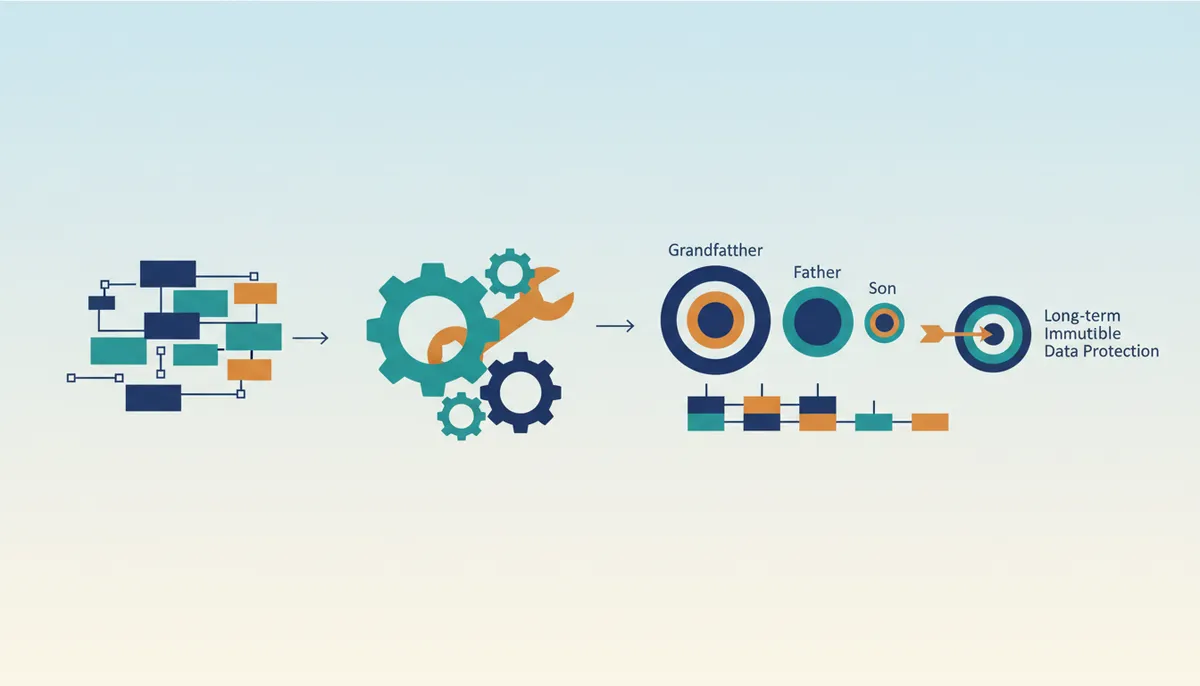
Weekly, monthly, and yearly schedules drive the Grandfather-Father-Son (GFS) logic by flagging specific full backups for long-term archival. Administrators activate this scheme within the Veeam Agent wizard by selecting the Keep certain full backups for archival purposes checkbox, satisfying compliance mandates without requiring infinite daily restore points. Connecting a job to an existing chain demands precise alignment between the local agent and the remote S3 compatible target. Users must specify the exact Bucket and sub-folder path where legacy data resides so the software locates the correct chain metadata. The interface allows browsing available regions to Select Bucket and navigate the flat object namespace efficiently. A hard constraint prevents selecting any folder currently managed by a Veeam Backup & Replication server, a measure designed to avoid database corruption.
Enabling immutability alongside GFS creates a strict deletion lock. Restore points with GFS flags remain immutable for the entire duration of the set retention period. Even administrators cannot prematurely delete archival data before the policy expires, a behavior necessary for ransomware recovery strategies. Correct function requires the target storage to have S3 Versioning and S3 Object Lock enabled prior to configuration. Operational rigidity is the cost: once a GFS point is written with immutability flags, the data cannot be modified or deleted until the retention window closes.
Executing Backup Mapping via Bucket and Folder Selection
Navigation to the Bucket field begins the mapping process, where selecting the Browse option reveals available storage containers. In the Select Bucket window, double-click the region name or click the arrow to the left of the region name to view available buckets, then choose the necessary bucket and click OK. Proceed to the Folder field, select Browse, and double-click the bucket name or click the arrow to the left of the bucket name to view available folders. Operators cannot select a folder that is managed by the Veeam Backup & Replication server, as this creates a metadata conflict preventing agent access. After selecting the necessary folder, click Map backup to link the job to the specific backup chain stored remotely.
This mapping action carries strict constraints. Veeam Agent displays only backups created on the same computer with the same account used to connect to the S3 compatible storage. If the target backup uses encryption and keys are missing from the local database, the system prompts for the original password to proceed. Organizations implementing ransomware protection must ensure S3 Versioning and S3 Object Lock are pre-configured on the storage side before enabling immutability.rabata.io recommends validating these bucket policies before mapping to ensure long-term retention schemes apply correctly without interrupting the backup chain.
Choosing a Folder That Avoids Managed-Repository Conflicts
Folder selection during agent configuration excludes any directory managed by a Veeam Backup & Replication server. This hard constraint prevents metadata corruption where concurrent access protocols would otherwise clash. Attempting to force an agent into a repository controlled by a central management server breaks the exclusive lock required for safe write operations. The S3 compatible interface rejects these conflicting transactions to preserve data integrity across the storage cluster.
| Configuration Target | Managed By | Agent Access Result |
|---|---|---|
| Standalone Folder | Veeam Agent | Success |
| Server Folder | Veeam Backup & Replication | Blocked |
Retention strategies diverge based on the target architecture. Selecting immutability For the entire duration of their retention policy ties data protection directly to the GFS scheme lifecycle. Alternatively, choosing the For the minimum immutability period only option decouples legal hold times from rotation schedules. This separation allows organizations to meet compliance windows without extending storage costs indefinitely.rabata.io architectures optimize these patterns by ensuring underlying object storage delivers consistent throughput regardless of lock status. Failure to isolate agent workflows from server-managed domains remains a primary cause of unrecoverable backup chains. Proper segmentation ensures that short-term operational restores do not interfere with long-term archival governance.
About
Alex Kumar is a Senior Platform Engineer and Infrastructure Architect at Rabata.io, where he specializes in Kubernetes storage architecture and disaster recovery strategies. His daily work involves designing resilient, cost-effective data layers for cloud-native applications, making him uniquely qualified to explain S3 compatible storage configurations. In his role, Alex routinely implements object storage solutions that require precise endpoint settings, including complex IPv6 formats and AWS PrivateLink integrations, directly mirroring the technical details discussed in this article. At Rabata.io, a provider of high-performance, S3-compatible object storage, Alex uses his expertise to help enterprises and AI startups eliminate vendor lock-in while reducing storage costs significantly. His insights stem from hands-on experience optimizing data pipelines and backup workflows using Rabata.io's true S3 API-compatible infrastructure, ensuring readers receive guidance grounded in real-world production scenarios rather than theoretical concepts.
Conclusion
Scaling S3-compatible storage for immutable backups reveals that network protocol friction often outweighs raw capacity limits. As architectures expand, the rigid requirement to enclose IPv6 addresses in literal notation becomes a critical failure point if configuration files like AmazonS3Regions.xml remain unmodified. Operators frequently underestimate how strict syntax rules for IPv6 can silently block replication streams, turning a theoretical connectivity win into an operational bottleneck. This is not merely a formatting nuance but a fundamental stability requirement for hybrid cloud deployments.
Organizations must mandate a validation protocol for all object storage endpoints before integrating them into production backup chains. Implement a strict pre-flight check that verifies IPv6 literal formatting and confirms bucket policies align with retention goals within the next maintenance window. Do not assume default network settings will adapt to the specific demands of object lock mechanisms.
Start this week by auditing your current AmazonS3Regions.xml configurations to ensure every IPv6 address adheres to the required bracketed syntax. This single step prevents immediate connectivity loss as you scale.rabata.io provides the specialized architectural guidance needed to navigate these complex storage integrations without compromising data integrity or backup chain continuity.
Frequently Asked Questions
A single character error causes immediate connection failure.
The wizard consistently presents exactly three primary configuration steps.
Veeam Agent enforces the SHA256 algorithm for all request signatures.
You cannot select a folder managed by another Veeam Backup & Replication server.
You must use ipv6-literal.net notation followed by a colon and port number.
References
