Veeam Backup Errors? Check Your S3 Signatures
Individual Amazon S3 objects can reach 50 TB, yet single PUT operations cap at 5 GB, demanding multipart strategies for large backups. Veeam Backup & Replication mandates SHA256 request signatures, forcing manual MD5 fallbacks via registry keys when vendors lack full compliance. A critical, often overlooked prohibition exists against enabling default retention options when activating Object Lock; this configuration error triggers immediate data management conflicts. Furthermore, mapping multiple folders within a single bucket across several scale-out backup repositories incurs severe performance penalties.
Market options like the provider and the provider B2 offer varying degrees of compatibility, but none bypass the fundamental requirement for exclusive data management by the backup software. Enabling lifecycle rules on these buckets is unsupported and frequently results in total backup and restore failures. Understanding these mechanical constraints is necessary before architecting a storage layer that claims AWS interoperability.
The Role of S3 Compatible Storage in Modern Backup Architectures
AWS S3 Signature Version 4 and SHA256 Requirements
AWS S3 Signature Version 4 defines the strict authentication protocol required for any storage system claiming compatibility with Amazon's object storage interface. Without this specific standard, backup applications cannot verify identity or authorize data transfer requests securely. The SHA256 algorithm serves as the default hashing mechanism for these request signatures, ensuring data integrity during transmission according to AWS S3 API recommendations. Storage targets lacking native SHA256 support force a fallback to MD5, a weaker algorithm that requires manual configuration changes in the backup server registry or agent files. This cryptographic mismatch often causes immediate authentication failures during repository scanning or backup job initialization.
Configuring MD5 Fallback for Linux and Windows Backup Servers
Legacy on-premises arrays often lack the SHA256 support that Veeam Backup & Replication defaults to per AWS S3 API recommendations. To restore connectivity in these scenarios, you must manually enable MD5 hashing. The S3UseMd5ContentHash parameter acts as the switch for this protocol adaptation. Administrators must apply this configuration strictly according to the host operating system to avoid signature mismatches.
- Linux: Edit the `/etc/VeeamAgentConfig` file and set the S3UseMd5ContentHash value.
- Windows: Create or modify the `HKEY_LOCAL_MACHINE\SOFTWARE\Veeam\Veeam Backup and Replication\S3UseMd5ContentHash` {DWORD} registry entry.
This global setting forces MD5 usage for all connected S3 compatible object storage systems. While enabling MD5 restores connectivity to older hardware, it introduces a security cost by utilizing a weaker hashing algorithm than the industry standard. Organizations targeting AI-ready performance should prioritize upgrading storage firmware to support SHA256 natively rather than relying on MD5 fallbacks long-term.rabata.io recommends validating these registry changes immediately after application to prevent silent backup failures during maintenance windows.
POSIX Metadata Limits and Eventual Consistency Pitfalls
File-system exports fail when POSIX permissions metadata exceeds the hard 2 KB ceiling enforced by S3 Files protocols. This specific constraint blocks legacy applications from archiving complex directory structures where extended attributes accumulate beyond this threshold. Administrators managing data-heavy workloads must audit file attributes before migration to avoid silent truncation of security contexts. The AWS S3 protocol imposes this boundary to optimize object indexing yet it creates a sharp incompatibility with traditional hierarchical storage models.
A more subtle risk emerges when backup software expects immediate read-after-write verification from storage targets operating on an eventual consistency model. Unlike native AWS S3 which guarantees strong consistency for all PUT and GET requests some compatible systems delay index updates across distributed nodes. This lag causes verification jobs to report missing objects seconds after successful upload triggering unnecessary retry loops that consume compute resources. Veeam documentation explicitly states that storage systems using eventual data consistency models are unsupported for this reason.
Rabata.io deployments mitigate these risks by enforcing strict compatibility checks during the onboarding phase. Teams should validate that their chosen target supports strong consistency guarantees before configuring production jobs. Ignoring this architectural mismatch leads to corrupted restore points where metadata exists but data blocks remain inaccessible.
Internal Mechanics of Hashing Algorithms and Signature Validation
Mechanics: SHA256 Signature Mechanics in AWS S3 API Requests
SHA256 hashing generates the cryptographic payload hash required by AWS S3 Signature Version 4 for every request header. This mechanism prevents tampering because the server calculates an identical digest from the received body before validating the signature. Veeam Backup & Replication adheres to this standard since the AWS S3 API recommends SHA256 over the weaker MD5 algorithm for strong authentication. Systems switch to MD5 if the S3 compatible object storage lacks SHA256 support. Strict compliance introduces computational overhead; calculating a full-body hash for large objects demands more CPU cycles than simple checksums. Latency accumulates when backing up massive datasets where every millisecond of signature generation matters. Data within an object storage bucket must be managed solely by Veeam Backup & Replication, covering both retention and data management to avoid conflicts.
Enabling MD5 Fallback via Windows Registry and Linux Config
Legacy S3 targets lacking SHA256 support require manual registry or config edits to enable MD5 content hashing. This configuration switch bypasses the default AWS S3 API recommendation, allowing Veeam Backup & Replication to authenticate with storage arrays that cannot process the stronger algorithm. Operators must weigh this compatibility against security posture, as MD5 provides weaker collision resistance than SHA256.
Configuration steps differ by host operating system to ensure the backup server transmits the correct hash type:
- Linux: Edit `/etc/VeeamAgentConfig` and set the `S3UseMd5ContentHash` value.
- Windows: Create the `HKEY_LOCAL_MACHINE\SOFTWARE\Veeam\Veeam Backup and Replication\S3UseMd5ContentHash` DWORD.
This global setting forces the client to calculate MD5 digests for all subsequent object uploads. Connectivity to older hardware increases while cryptographic integrity checks expected by modern clouds decrease. Market analysis for 2026 highlights that S3-compatible storage has evolved to support on-premises, cloud, and hybrid configurations, reducing the need for such fallbacks in greenfield deployments.
| Platform | Config Location | Value Type | Scope |
|---|---|---|---|
| Linux | File System | Text Integer | Global |
| Windows | Registry | DWORD | Global |
Enabling this parameter affects every S3 repository on the host, not the problematic target. Administrators should isolate legacy targets to dedicated backup servers whenever possible to maintain strong hashing for primary data. This approach limits the blast radius of reduced cryptographic standards while maintaining operational continuity for aging infrastructure.
Multipart Upload Constraints and 5GB Single PUT Limits
The AWS S3 protocol enforces a hard 5 GB ceiling on single PUT operations, forcing backup architectures to adopt multipart upload strategies for larger datasets. This architectural boundary means any individual file exceeding this threshold must be segmented, transmitted as discrete parts, and reassembled server-side to form the final object. Veeam Backup & Replication handles this segmentation automatically yet the underlying storage target must fully support the necessary API calls to avoid transaction failures during reassembly. The total logical size of these reconstructed objects can reach up to 50 TB, defining the absolute upper limit for single backup targets within the system.
| Feature | Single PUT | Multipart Upload |
|---|---|---|
| Max Object Size | 5 GB | 50 TB |
| Failure Mode | Total Rejection | Partial Part Failure |
| Network Impact | Single Stream | Parallel Connections |
Operators must ensure their chosen S3 compatible platform supports the required API operations, as incomplete support can lead to backup and restore failures. Risk lies not in the upload limit itself, but in the complexity of managing hundreds of simultaneous part connections without triggering rate limits or timeouts. Administrators should contact their S3 compatible vendor to check specific requirements for their object storage, particularly regarding metadata handling which can slow down data processing if multiple folders are used within one bucket for several scale-out backup repositories.
Strategic Configuration of Single versus Multiple Bucket Topologies
Veeam Child Bucket Logic and Master Bucket Fallback
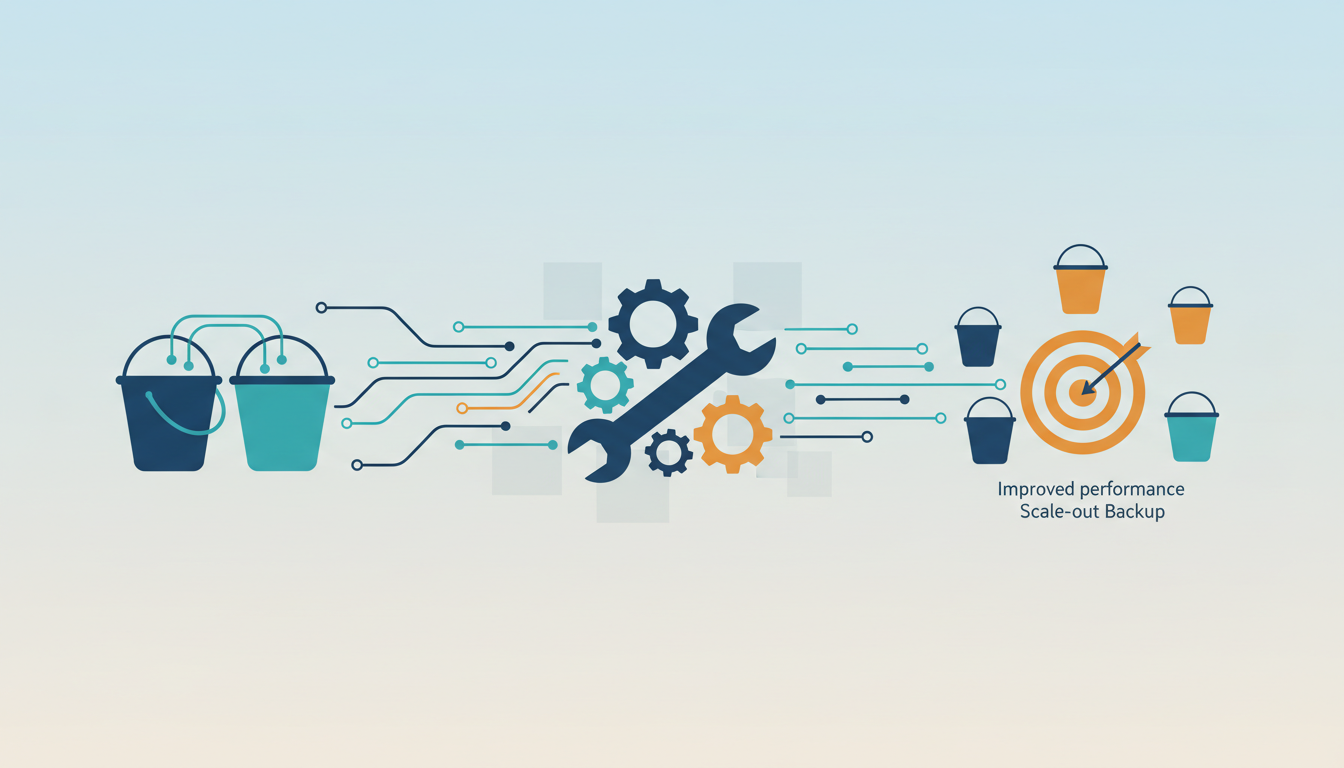
Veeam Backup & Replication ignores multiple bucket capacity extents and forces all write operations into the assigned master bucket. This architectural behavior occurs because the software treats the initial bucket as the sole logical target for backup streams, effectively bypassing any additional child buckets added to the scale-out repository configuration. Administrators attempting to distribute load across several containers will find data consolidation unavoidable under this specific topology.
Once enabled, the multiple bucket option creates a permanent state where existing backups remain in the master bucket while new data targets child buckets that are invisible in the standard interface. Users must access these hidden containers through the S3 compatible object storage vendor UI rather than the primary management console. A critical operational constraint prevents reusing a child bucket to configure another repository, locking these resources into a single hierarchy. This setup is incompatible with Veeam Smart Object Storage API load balancing, forcing a choice between smart entity distribution and multi-bucket segregation.
| Feature | Master Bucket Behavior | Child Bucket Behavior |
|---|---|---|
| Visibility | Visible in UI | Hidden from UI |
| Data Flow | Existing & Ignored New Backups | New Backups Only |
| Reusability | Configurable as Repository | Cannot Configure Repository |
The strategic implication for Rabata.io customers is clear: multi-bucket topologies reduce granular control over individual backup chains while complicating disaster recovery validation. Operators requiring distinct isolation for compliance should deploy separate repositories instead of relying on child bucket logic.
Deploying Multiple Buckets for Unstructured Data and Cloud Connect
S3 compatible repositories with multiple buckets fail as targets for Unstructured Data Backup operations. This architectural constraint explicitly blocks their use for backup, archive, or secondary repository roles within Veeam Backup & Replication. Operators designing for hybrid configurations must note that while S3-compatible storage supports modern 3-2-1 strategies, this specific topology remains unsupported for these workloads. Similarly, Veeam Cloud Connect providers cannot apply multi-bucket setups as cloud repositories. The system enforces a hard boundary where enabling multiple buckets prevents conversion back to a single-bucket repository. New data lands in child buckets invisible to the standard interface, while legacy data stays fixed in the master bucket. This split creates a fragmented recovery environment that complicates data management. Read-only permissions are also unsupported in this mode, restricting access control models. Configuration backups ignore the multi-bucket setup entirely, storing separately to maintain stability. The Veeam Smart Object Storage API (SOSAPI) also lacks support for load balancing when multiple buckets are active on a smart entity level. Teams should prioritize single-bucket designs for Cloud Connect and unstructured data to avoid these operational dead ends.rabata.io recommends validating bucket topology requirements before enabling advanced features to prevent irreversible configuration states.
Irreversible Topology Changes and Read-Only Permission Failures
Enabling the multiple bucket option creates a permanent state where administrators cannot revert S3 compatible object storage repositories to a single bucket topology. This irreversible configuration shift forces a split storage model where legacy data remains in the master bucket while new backups target invisible child containers. Operators must understand that read-only permissions are strictly unsupported in this multi-bucket mode, causing immediate authentication failures for any application attempting read-only access to these distributed targets. While modern solutions offer hybrid configurations to support diverse strategies, this specific architectural choice eliminates the ability to use standard read-only service accounts for verification tasks. Child buckets remain hidden from the primary interface, requiring direct vendor UI access for manual intervention or auditing.rabata.io advises validating permission requirements before enabling this feature, as the inability to convert back to a single bucket locks the infrastructure into a complex, dual-path storage behavior that complicates disaster recovery testing and compliance auditing workflows significantly.
Operational Protocols for Object Lock and Lifecycle Management
Object Lock and Versioning Mechanics in S3 Compatible Storage
Appending immutable metadata flags to object headers allows Object Lock and Versioning to block deletion until a specific date passes. This process builds a logical air gap that stops ransomware actors from encrypting or erasing protected data Ransomware Durability Strategy. Operators must configure these repositories without default retention policies to prevent clashes with backup software logic. Strict limitations apply here. Enabling lifecycle rules on these specific buckets often triggers restore failures because the system cannot automatically expire versions.
- Enable Versioning to maintain a complete history of file Modifications.
- Apply Object Lock in governance or compliance mode for immutability.
- Exclude lifecycle policies to prevent unintended data purging.
- Verify AWS S3 Signature Version 4 compatibility for authentication.
Versioning alone fails to guarantee recoverability if the underlying storage relies on an eventual consistency model. Native implementations provide strong read-after-write consistency, yet some compatible systems may return stale directory listings during rapid failover scenarios. Enterprises prioritizing active defense mechanisms must validate that their chosen platform supports native locking features to avoid vendor lock-in traps Vendor Lock-in Risk. Rabata.io recommends rigorous testing of deletion attempts on locked objects before production deployment to confirm true immutability.
Resolving Backup Failures from Lifecycle Rules and Retention Conflicts
Conflicting lifecycle policies trigger immediate backup stream termination when retention flags clash with immutable object headers. Administrators must disable default retention settings before activating Object Lock to prevent these fatal logic errors. The core mechanism involves Veeam Backup & Replication requiring exclusive control over data lifecycle management within the target bucket. External lifecycle rules create a race condition where the storage system attempts to expire versions that the backup software expects to retain indefinitely. This conflict often manifests as unexplained write failures during routine backup windows.
Ignoring this protocol results in measurable storage waste. A common scenario involves enabling versioning without configuring expiration, leading to uncontrolled cost increases as the system retains every data version forever uncontrolled storage cost increases. Operators must manually verify that no default retention period exists on the bucket policy.
- Navigate to the target bucket properties in your storage console.
- Locate the Object Lock configuration section.
- Ensure the "Default Retention" toggle is explicitly set to disabled.
- Verify that no independent lifecycle rules exist for the `*` prefix.
Automated cost optimization creates tension with backup integrity. Lifecycle rules normally reduce expenses by tiering old data, yet applying them to active backup buckets corrupts the restore chain.rabata.io recommends isolating backup buckets from general data policies to maintain a clean operational boundary. This separation ensures that cost-saving automation never compromises data recoverability.
Critical Risks of Multiple Bucket Configurations in Veeam Repositories
Enabling the multiple bucket option creates an irreversible topology where converting back to a single bucket repository is impossible. This permanent state forces a split storage model where legacy data remains static in the master bucket while all new backups target invisible child containers. Operators must recognize that Veeam Backup & Replication strictly ignores this complex setup for capacity extents, storing all incoming data solely in the master bucket regardless of the configuration.
Service providers face a severe functional limitation, as users cannot apply these repositories as a cloud repository for Veeam Cloud Connect. The architecture explicitly blocks this topology from serving as a target for Unstructured Data Backup, covering backup, archive, or secondary repositories. The system does not support read-only permissions for object storage with multiple buckets, causing immediate authentication failures for applications requiring granular access.
Administrators should verify their S3 compatible object storage requirements carefully before deployment to avoid these hard constraints. Uncontrolled retention policies can lead to significant cost increases if lifecycle expiration is not managed correctly outside the backup software Versioning Cost Escalation. Enterprises needing flexible, scalable architectures without these specific topology traps might consider Rabata.io, which provides enterprise-grade object storage optimized for AI/ML workloads and cost-conscious backup strategies through 2026.
About
Alex Kumar is a Senior Platform Engineer and Infrastructure Architect at Rabata.io, where he specializes in Kubernetes storage architecture and disaster recovery strategies. His daily work designing persistent storage solutions using S3 CSI drivers provides the practical foundation for understanding the critical nuances of S3-compatible object storage. At Rabata.io, a provider dedicated to delivering high-performance, AWS S3-compatible alternatives, Alex routinely addresses the exact compatibility challenges discussed in this article. He navigates complex signature requirements, including SHA256 and MD5 algorithms, ensuring smooth integration for enterprise clients migrating from AWS. His hands-on experience with Veeam Backup & Replication and cloud-native infrastructure allows him to identify specific configuration needs across Linux and Windows environments. By using Rabata.io's commitment to true API compatibility, Alex helps organizations eliminate vendor lock-in while optimizing costs. This technical expertise ensures that the guidance provided reflects real-world implementation scenarios rather than theoretical concepts.
Conclusion
Scaling object storage reveals that architectural rigidity, not just capacity, dictates long-term viability. The hard 5 GB single-PUT ceiling forces a reliance on multipart uploads for larger datasets, yet the real operational debt accumulates when immutable topology choices like multiple bucket configurations permanently fracture backup chains. As the S3 API solidifies its role as the de-facto standard for unstructured data, organizations cannot afford storage layers that ignore capacity extents or block cloud connect topologies. The cost of misconfiguration extends beyond immediate authentication failures; it creates silent data silos where legacy and active backups diverge irreversibly.
You must treat bucket topology as a permanent constraint rather than a flexible setting. Before deploying any new repository, validate that your chosen solution supports read-only permissions and single-bucket reversibility if your workflow demands granular access or future migration paths. Do not assume managed services automatically align with complex backup software requirements. Start this week by auditing your existing Veeam repositories to identify any instances where the multiple bucket option was enabled without isolating the backup chain, as these configurations cannot be reverted and will block future cloud connect integration. Prioritize platforms that decouple cost-saving automation from data recoverability to ensure your storage infrastructure scales without compromising restore integrity.
The backup software requires sole management of data retention, so external lifecycle policies create critical operational conflicts.
Frequently Asked Questions
Single PUT operations cap at 5 GB, requiring multipart strategies for larger data. Objects can reach 50 TB total, but exceeding the 5 GB single-operation limit without splitting causes immediate upload failures.
You must not enable default retention options when activating Object Lock. Doing so triggers data management conflicts that break the exclusive control Veeam Backup & Replication requires for successful backup and restore operations.
Mapping multiple folders within a single bucket across repositories slows data processing due to metadata handling overhead. This topology forces the system to process metadata for each bucket individually, degrading overall performance significantly.
Lack of SHA256 support causes immediate authentication failures during repository scanning. Administrators must manually enable MD5 fallbacks via registry keys to restore connectivity, though this reduces cryptographic strength for data in transit.
Enabling lifecycle rules on these buckets is unsupported and frequently results in total backup and restore failures. The backup software requires sole management of data retention, so external lifecycle policies create critical operational conflicts.
References
