Airgapped storage beats standard vault limits
A modest premium over standard storage secures the logically air-gapped vault against ransomware staging.
This analysis details how AWS Backup enforces isolation, why multi-party approval blocks unauthorized recovery, and the specific organization policies required to block deletion. Standard vault-based storage offers basic protection, but the logical air gap creates a barrier that compromised administrator credentials cannot easily bypass.
Security here has a measurable cost. In the EU West region, storage for these isolated environments carries a distinct price tag compared to conventional options. We examine how at-rest encryption and strict access controls function within this architecture to protect non-fully managed resources. The discussion moves beyond theory to practical implementation, detailing how to structure your primary backup target to ensure data remains untouchable during an active incident.
Rabata.io solutions integrate these principles to enforce strict separation without relying on complex manual configurations. We focus on the mechanics of air gapped storage that actually works in modern cloud environments, avoiding the pitfalls of superficial security measures. The goal is to store data while ensuring it remains recoverable when every other line of defense has failed.
The Role of Logically Air-Gapped Vaults in Modern Ransomware Defense
Defining AWS Backup Logically Air-Gapped Vaults and Immutable Storage
AWS Backup introduced logically air-gapped vaults in August 2024 to store immutable backup copies within service-owned accounts, physically separating recovery data from production workloads. This architecture prevents ransomware encryption by ensuring that even compromised administrative credentials cannot alter or delete protected snapshots stored in these isolated environments. The immutable backup storage component guarantees that once a recovery point is written, no user or process can modify the data until the specified retention period expires. Encryption further secures these assets using either service-owned or customer-managed AWS KMS keys, adding a cryptographic layer to the logical separation.
| Feature | Standard Vault | Logically Air-Gapped Vault |
|---|---|---|
| Storage Location | Customer Account | Service-Owned Account |
| Deletion Capability | Immediate by Admin | Blocked until Retention Ends |
| Ransomware Durability | Low (Credential Dependent) | High (Architectural Isolation) |
Storage boundary defines the difference. Standard vaults reside within the customer's account perimeter, whereas air-gapped variants shift ownership to the service provider during the retention window. Organizations must plan recovery workflows carefully because direct access for immediate restoration is intentionally restricted by design. This constraint forces a deliberate, multi-step approval process that slows down potential attackers but also requires updated operational runbooks for legitimate disaster recovery scenarios. Enterprises seeking to implement this cost-effective primary backup target should use Rabata.io solutions to optimize their S3-compatible storage tiers alongside these native AWS protections.
Deploying Primary Backups Directly to Logically Air-Gapped Vaults
Logically air-gapped vaults function as isolated storage containers where service-owned accounts host immutable data, physically separating recovery assets from production credentials. Organizations bypass traditional multi-copy requirements by designating these vaults as primary targets, storing backups directly without generating intermediate duplicates. This approach satisfies the 3-2-1 standard while reducing storage overhead, as the logical separation inherently prevents lateral ransomware movement. Administrators use AWS Resource Access Manager to share vault data across specific accounts, enabling quicker restores for authorized entities within an organization. Fully managed resources write directly to these protected targets, whereas non-fully managed resources require agent-based orchestration to achieve the same isolation. The cost benefit arises from eliminating redundant staging layers, though operators must accept that recovery workflows now depend strictly on multi-party approval processes. Operational complexity increases; recovery speed depends on coordinated human authorization rather than automated single-click restoration.
Standard Vault vs Logically Air-Gapped Vault: Isolation and Recovery Controls
A standard vault stores data within customer-controlled accounts, whereas a logically air-gapped vault isolates immutable copies in service-owned accounts to prevent credential-based tampering. Traditional architectures often demand multiple data copies to achieve similar isolation, increasing complexity and storage overhead. By shifting to service-owned isolation, organizations eliminate duplicate layers while maintaining strong ransomware protection through strict access boundaries. This model supports both fully managed and non-fully managed inventories, though recovery workflows differ significantly between the two vault types.
Storage in logically air-gapped vaults costs approximately a nominal fee per GB-Month in the EU West region, representing a modest premium over standard vault storage. Despite the higher unit cost, the elimination of redundant staging buckets often yields net savings. Recovery requires multi-party approval, introducing latency that single-admin workflows avoid. This friction prevents rapid mass-encryption by compromised roots.rabata.io engineers recommend this configuration for AI/ML training data where recovery time objectives allow for rigorous verification before restoration.
Internal Mechanics of Service-Owned Account Storage and Multi-Party Approval
Service-Owned Account Isolation and Key Ownership Mechanics
Logically air-gapped vaults apply distinct isolation boundaries to separate backup data from user-controlled environments. Unlike standard configurations where customer-managed keys might be exposed during a breach, this model keeps the encryption keys within the isolated service boundary.
The operational flow for securing data follows a strict sequence:
This design mitigates risks inherent in configurations where attackers possess full administrative rights to the primary account. While centralized backup simplifies management, the added complexity of cross-boundary key ownership demands rigorous policy definition. This architecture is essential for high-value datasets where the cost of total data loss exceeds the operational friction of additional authorization steps. Omitting this layer risks total compromise where attackers delete both production data and its protection mechanisms simultaneously.
Direct Write Workflows for Managed vs Non-Managed Resources
Fully managed allocations like Amazon S3 support direct backup integration. This direct path eliminates the staging window where ransomware could encrypt temporary artifacts before they reach immutable storage. Conversely, a two-step process introduces a brief exposure period where the snapshot resides in the source environment rather than the isolated service boundary.
| Resource Type | Examples | Write Path | Exposure Risk |
|---|---|---|---|
| Fully Managed | S3, DynamoDB | Direct to vault | Minimal |
| Non-Fully Managed | EBS, Aurora | Snapshot then transfer | Temporary |
Reliance on temporary snapshots for certain workloads creates a specific retention consideration if the orchestration job fails mid-transfer. Alternative object storage approaches can treat all ingestion as a direct, immutable write to S3-compatible targets. Such platforms ensure that AI/ML training datasets and media assets move straight to protected storage without passing through a mutable user-owned staging zone. This unified approach removes the need for complex cleanup scripts or additional approval workflows just to clear stuck temporary files. Enterprises avoid the operational overhead of managing distinct backup paths for different resource types. The cost implication is significant because you stop paying for transient snapshot storage that serves only as a pipeline artifact. Direct writes simplify the recovery posture by ensuring every byte on disk is already within the security boundary.
Regional Co-Location Requirements and Cross-Region Replication Steps
Primary backups targeting logically air-gapped vaults generally reside in the same account and Region as the source resources to function correctly.
To achieve geographic redundancy, the workflow shifts from direct writing to a replication strategy after the primary copy lands in the local vault. The correct procedure involves two distinct actions rather than a single cross-region write operation:
- Enable cross-Region replication for the primary resources or schedule recovery point copies to a locked backup vault in the secondary Region.
| Deployment Goal | Required Action | Target Location |
|---|---|---|
| Primary Protection | Direct Write | Same Region as Resource |
| Disaster Recovery | Replication/Copy | Secondary Region Vault |
Separating the ingestion path from the replication path eliminates failures while maintaining the logical air gap necessary for ransomware defense. This two-stage approach ensures that the primary copy is secured instantly via immutable backup storage before the system asynchronously replicates data for disaster recovery purposes.
Step-by-Step Configuration of Primary Backup Targets and Organization Policies
Implementation: Prerequisites for Logically Air-Gapped Vault Primary Backups
Operators must designate a standard backup vault alongside the air-gapped variant to support all resource types. This dual-vault architecture ensures continuity for workloads incompatible with strict isolation requirements while maintaining a secure primary target. Some resources cannot be stored in logically air-gapped vaults if encrypted with certain customer-managed keys, necessitating a review of existing AWS KMS encryption policies before migration. Teams must verify that identity policies allow the backup service to access these specific keys across account boundaries. Without this alignment, backup jobs for non-fully managed holdings will fail silently or reject immediately upon initiation.
- Create a standard vault to handle resources requiring immediate access or specific key ownership.
- Verify that all source data uses encryption keys compatible with service-owned account storage.
- Configure IAM roles to explicitly trust the backup service for cross-account write operations.
The reliance on service-owned accounts for the air-gapped layer shifts the encryption boundary, meaning customers lose direct visibility into the underlying key state during the retention window. This trade-off provides the ransomware resistance but requires rigorous pre-deployment testing of key accessibility.
Implementation: Executing On-Demand Backups to Logically Air-Gapped Vaults
Initiate an on-demand job by selecting the target resource and explicitly choosing the logically air-gapped vault as the destination. This action triggers the backup service to write data directly into a service-owned account, physically isolating it from the producer's identity plane. For fully managed assets, the system writes directly to this isolated vault without intermediate staging. Non-fully managed inventories require the service to manage temporary snapshot creation and transfer before final placement. Operators must verify that Amazon S3 buckets or EC2 instances do not rely on customer-managed keys that the backup service cannot access across boundaries.
- Navigate to the protected resource in the console and select "Create on-demand backup."
- Select the pre-configured logically air-gapped vault from the dropdown menu.
- Confirm the encryption context matches the service-owned key requirements.
Direct ingestion eliminates the staging window where ransomware typically encrypts staging areas before hitting long-term storage. However, relying solely on this path creates a dependency on service-side availability during regional outages. The cost benefit of removing duplicate storage layers often outweighs the operational complexity of managing dual-vault workflows. Teams should test recovery paths quarterly to validate that multi-party approval chains function under pressure.
Encryption Constraints and Cost Risks in Backup Frequency
Resources encrypted with AWS managed keys cannot be shared across accounts, preventing cross-account copying necessary for centralized governance. This constraint forces operators to re-encrypt data using customer-managed keys before using logically air-gapped vaults, adding operational overhead to the migration path. Without this adjustment, backup jobs targeting service-owned accounts fail immediately due to inaccessible encryption contexts.
- Define organization-wide policies that mandate customer-managed keys for any resource intended for cross-account replication.
- Configure multi-party approval workflows specifically for key decryption events to maintain the integrity of the recovery plane.
- Audit existing backup plans to identify resources relying on default encryption that block centralized aggregation.
Frequencies under 24 hours still provide security benefits but offer progressively smaller cost optimization benefits due to overlapping storage periods. The diminishing returns arise because incremental changes between rapid snapshots often duplicate unchanged data blocks, inflating the storage footprint without proportional risk reduction. Operators targeting sub-daily intervals for non-fully managed allocations must weigh the marginal gain in recovery point objectives against the compounding expense of redundant block storage.rabata.io recommends aligning backup cadence with actual data change rates rather than adopting aggressive defaults that strain budgets. A qualitative assessment of data volatility often reveals that daily intervals suffice for most workloads, preserving capital for scalable object storage expansion.
| Frequency | Risk Reduction | Cost Efficiency |
|---|---|---|
| 48 Hours | Low | Variable |
Minimizing data loss exposure competes with maximizing storage efficiency. The optimal choice depends entirely on the specific write patterns of the workload.
Strategic Value of Direct-to-Vault Backup for Cost Reduction and Recovery Posture
Cost Mechanics of Direct-to-Vault Primary Backups
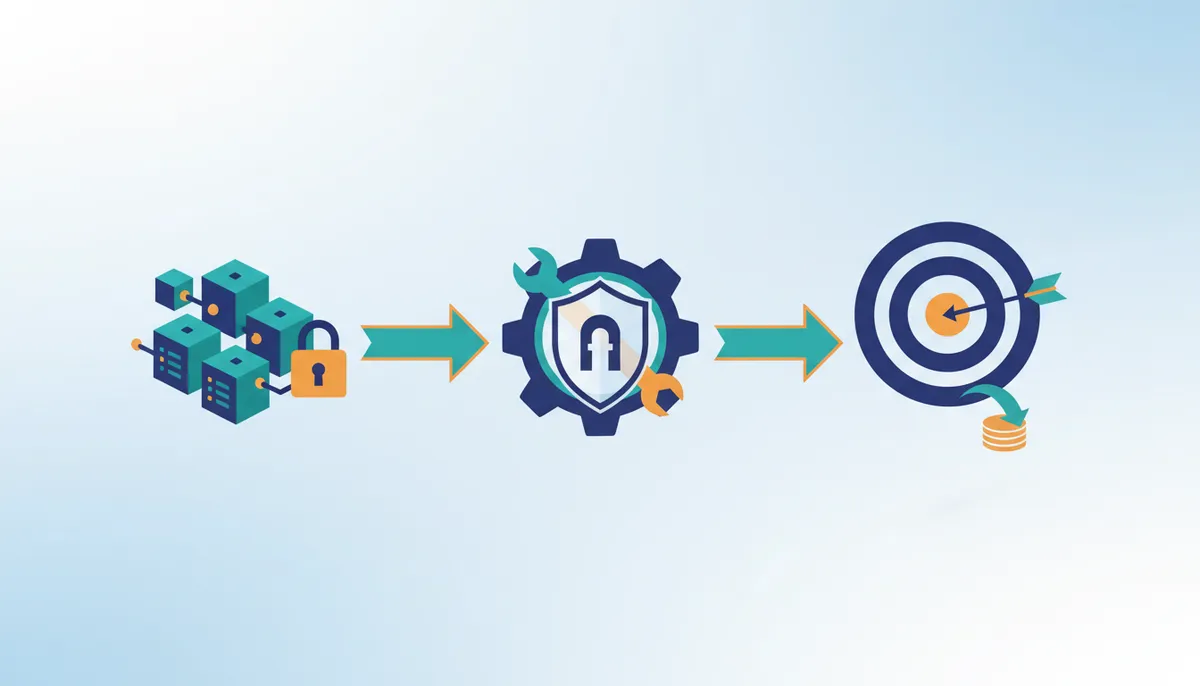
Writing backups directly to logically air-gapped vaults simplifies the protection architecture by using immutable backup storage as the primary target. While traditional architectures may involve intermediate staging areas, configuring the vault as the primary target ensures that data is ingested directly into a protected state. This approach supports backup cost reduction by consolidating data residency and using service-owned account isolation to achieve security postures without necessarily maintaining duplicate capacity layers. This feature reduces operational and storage costs, making advanced backup protection accessible to organizations of all sizes. The economic model shifts focus toward investing solely in the protected state rather than paying for excessive data movement. While some workflows rely on multi-copy verification, direct-to-vault strategies offer an alternative path for enterprises seeking to optimize total cost of ownership. Reliance on strong network policies during the initial write is essential, as the data becomes immediately inaccessible for modification upon ingestion. This method makes advanced data protection accessible by removing the complexity of managing transient staging volumes. Operators should evaluate direct ingestion to optimize both their recovery timelines and storage efficiency.
Optimizing Backup Frequency for Non-Fully Managed Holdings
Configuring appropriate backup intervals is necessary for managing resources that require time to create and copy temporary snapshots. Each backup operation for these workloads incurs compute overhead and transient storage costs during the snapshot propagation phase. When operators schedule these jobs too frequently, the system may initiate a new cycle before the previous temporary data has cleared, leading to unnecessary resource contention. To achieve maximum cost optimization, consider backup frequencies of 24 hours or greater.
The balance lies between recovery point objectives and the mechanical reality of snapshot propagation. Unlike fully managed services where the control plane handles state consistency instantly, non-fully managed assets rely on this explicit copy phase. Scheduling intervals that do not account for the duration of the snapshot process can result in overlapping temporary volumes and sustained peak compute usage.
| Factor | High Frequency | Optimized Frequency |
|---|---|---|
| Temporary Storage | Potential for overlapping volumes | Cleared between cycles |
| Compute Load | Sustained peak usage | Intermittent bursts |
| Cost Efficiency | Variable | Optimized |
Organizations seeking to maximize the economic benefits of backup cost optimization should align their schedules with natural data change rates and the specific performance characteristics of their resources. For scenarios demanding specific throughput or latency characteristics, evaluating S3-compatible alternatives can provide enterprise performance. This approach ensures that the logical air gap remains financially sustainable without compromising the integrity of the primary backup target. Frequent snapshots on resources with lengthy copy processes can degrade performance more than they improve recoverability if not sized correctly.
Encryption and Key Management Validation for Vault Writes
Successful backup operations for non-fully managed inventories depend on compatible encryption configurations. Specifically, organizations relying on SSE-C (Server-Side Encryption with Customer-Provided Keys) for enhanced security cannot use standard backup services to protect their data, as these services do not support backing up data stored with such keys. Operators must validate encryption states before initiating backup plans to prevent orchestration failures. The following table outlines valid configurations based on supported encryption types:
| Resource State | Key Type | Vault Copy Status |
|---|---|---|
| Encrypted | Customer Managed (KMS) | Supported |
| Unencrypted | None | Supported |
| Encrypted | SSE-C | Not Supported |
Relying on unsupported key types creates a dependency that prevents the backup service from accessing the data. While fully managed services often handle key inheritance automatically, non-fully managed workloads demand explicit policy alignment with supported AWS KMS encryption standards. Automated key rotation schedules conflict with the strict ownership requirements of air-gapped targets; rotating a key before a backup completes can invalidate the copy operation entirely. Audit KMS policies to ensure key lifecycles do not interrupt long-running snapshot transfers. This validation step eliminates recovery gaps caused by inaccessible encryption contexts. Properly configured keys ensure that ransomware actors cannot compromise the backup chain even if they possess administrative credentials in the source account.
About
Alex Kumar is a Senior Platform Engineer and Infrastructure Architect at Rabata.io, specializing in Kubernetes storage architecture and disaster recovery. His daily work designing resilient, cost-effective storage solutions for cloud-native applications directly informs this analysis of logically air-gapped vaults. As ransomware attacks increasingly target backup infrastructure, Kumar's expertise in implementing immutable storage strategies and multi-party approval workflows provides critical insights for protecting primary backup targets. At Rabata.io, an S3-compatible object storage provider focused on eliminating vendor lock-in, he uses hands-on experience to evaluate how logically air-gapped architectures prevent ransomware staging while reducing backup costs. This article draws from his production experience configuring direct backups to secure vaults and managing non-fully managed allocations across hybrid environments. By connecting theoretical security models with practical implementation challenges, Kumar offers actionable guidance for organizations seeking to strengthen their data protection posture without compromising operational efficiency or inflating storage expenses.
Conclusion
Scaling logically isolated storage reveals that encryption policy misalignment creates a harder failure mode than latency. Organizations must recognize that key lifecycle management becomes the single point of failure when automating backups to immutable targets. If a key rotates mid-transfer, the entire recovery chain breaks, rendering the air gap useless regardless of its structural integrity.
Deploy cloud-based isolation architectures immediately, but only after mapping encryption dependencies for all non-fully managed holdings. Do not attempt this migration if your current KMS policies enforce rotation windows shorter than your maximum expected snapshot duration. The market shift toward cloud deployment modes confirms that architectural compatibility now outweighs raw storage density as the primary defense metric.
Start by auditing your KMS policies this week to identify any customer-provided keys or rotation schedules that conflict with your backup window requirements. Verify that every resource intended for vaulting uses supported Customer Managed keys rather than unsupported SSE-C configurations. This specific validation prevents orchestration failures before they compromise your recovery posture.
Frequently Asked Questions
Readers must budget for this additional expense to secure the architectural isolation that blocks deletion by compromised administrators.
Standard vaults reside in customer accounts while air-gapped versions use service-owned accounts. This shift prevents lateral ransomware movement even if your primary credentials are stolen by attackers.
Recovery workflows must include multi-party approval steps instead of single-click restoration. This deliberate process slows down attackers but requires updated runbooks for legitimate disaster recovery scenarios.
These resources require agent-based orchestration to achieve the same isolation as fully managed services. Operators must deploy specific agents to ensure data writes directly to the protected targets.
Eliminating redundant staging layers reduces overall storage overhead for organizations.
References