S3 Files beat EFS pricing: Why I'm switching now
AWS cuts storage costs by a dramatic margin compared to EFS by launching Amazon S3 Files on April 7, 2026. This releases the architectural absurdity of maintaining parallel data silos for file and object workloads. By exposing S3 buckets via NFS v4.2, AWS finally delivers POSIX semantics without forcing expensive data migration or complex synchronization pipelines.
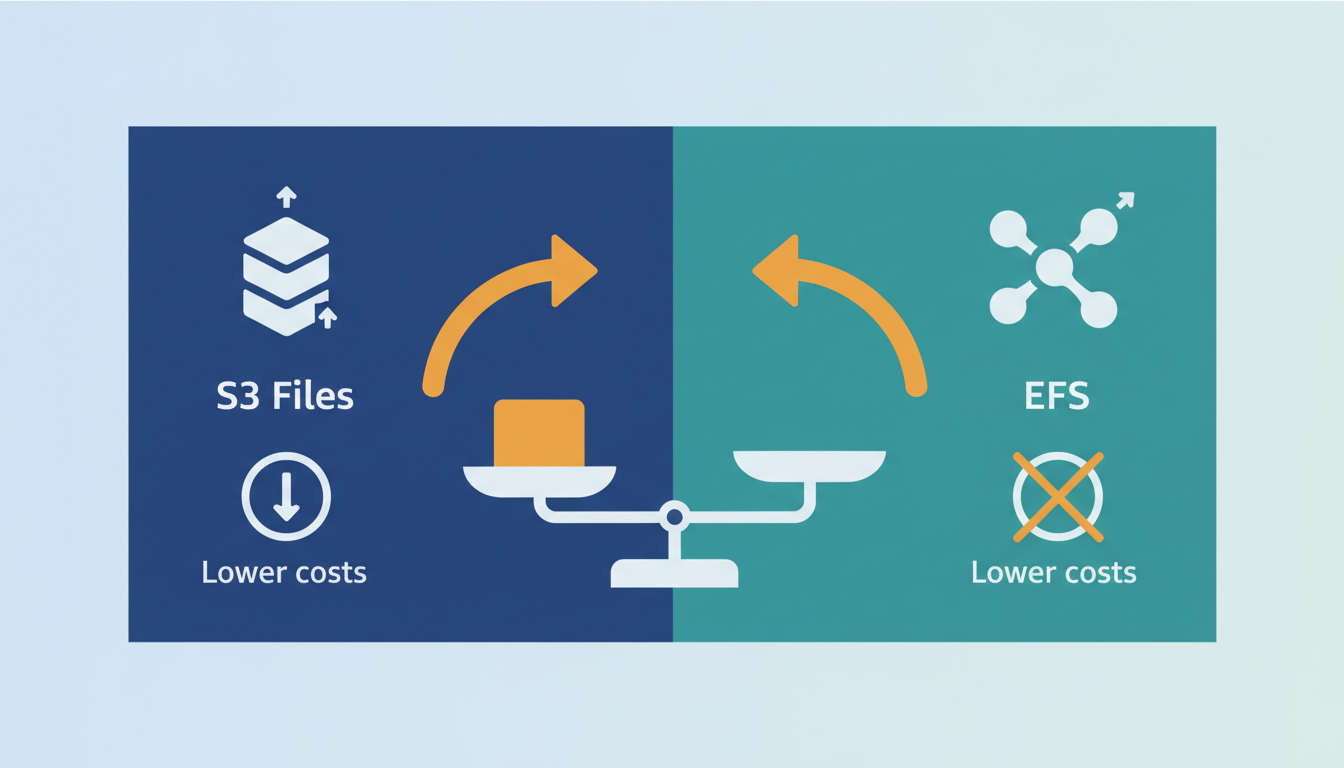
Readers will discover how this architecture unifies cloud storage by enabling thousands of compute instances to share state directly within the S3 environment. We dissect the internal mechanics of high-performance data flow, where active data caching eliminates the latency that traditionally plagued object-store file access. The analysis also contrasts S3 Files against legacy Amazon EFS deployments, highlighting the strategic shift from managing separate $0.30 per GB-month file systems to using native S3 Standard economics.
Gone are the days of building fragile pipelines to sync duplicated datasets between Amazon EFS and Amazon S3. With atomic writes and full file system locking now native to the bucket, AI agents and data lakes can operate on a single source of truth. This update forces a reevaluation of storage architectures that have long tolerated inefficiency for the sake of protocol compatibility.
The Role of Amazon S3 Files in Unifying Cloud Storage Architectures
Amazon S3 Files: NFS v4.2 Protocol and POSIX Semantics
April 7, 2026, marks exactly twenty years after the original Amazon S3 service debuted on March 14, 2006. On this date, AWS launched Amazon S3 Files, exposing object storage buckets via the NFS v4.2 protocol to deliver native POSIX file system semantics. The service enables full file locking and atomic writes without requiring data movement between storage tiers. Applications access S3 buckets using standard mount commands while retaining underlying object scalability.
Traditional architectures force teams to maintain separate silos for file and object data, often duplicating content across expensive block stores. Standalone EFS costs approximately $0.30 per GB-month compared to S3 Standard at $0.023 per GB-month, creating significant budget friction for large datasets. S3 Files resolves this by allowing hybrid workloads to operate directly on cold storage tiers with hot access patterns. Migration complexity drops notably since teams avoid building custom sync pipelines or managing virtual appliance gateways.
Failure domain analysis must shift from network throughput to metadata lock contention. High-concurrency write patterns that previously succeeded on dedicated file systems now face object-store latency constraints during attribute updates. Teams must tune client-side cache timeouts to prevent stale read errors during rapid directory traversal operations. Write-heavy workloads with frequent small-file updates still require dedicated block storage rather than object-backed file interfaces.
Eliminating Data Silos with Unified S3 Bucket Access
Data silos fragment storage into isolated namespaces, forcing duplicate copies across file and object tiers. Amazon S3 Files resolves this by exposing a single bucket as both an NFS mount and an API endpoint. Applications read the same bytes using standard file tools or S3 SDKs without sync pipelines. This unification removes the latency and cost of maintaining parallel storage systems for AI training sets.
Real-world migrations validate the scale achievable when decoupling compute from storage infrastructure. Apollo Tyres deployed the architectural predecessor to manage 160 TB of data across three plants in a single day. The setup required zero business interruption while preventing on-premises hardware obsolescence. Delhivery executed a larger transfer, moving 500 TB of data and 70 million objects between regions without downtime. These operations previously demanded complex replication rules that native file access now renders unnecessary.
The cost differential drives architectural consolidation for large-scale datasets. Legacy file systems charge premium rates per gigabyte compared to object storage baselines. Teams eliminate egress fees and staging delays by processing data directly within the S3 environment. However, reliance on NFS caching introduces consistency windows that differ from strict object store immediacy. Operators must tune client-side attributes to match application tolerance for stale reads during high-concurrency writes.
| Storage Pattern | Data Duplication Required | Access Method |
|---|---|---|
| Traditional Hybrid | Yes | Separate Mounts |
| S3 Files | No | Unified Namespace |
Audit existing EFS mount points for candidates eligible for native S3 conversion.
S3 Files vs EFS and Legacy S3 File Gateway Costs
Amazon S3 Files eliminates virtual machine appliances while accessing data at object storage rates. Standalone architectures historically forced operators to pay premium rates for file semantics, with EFS Standard storage costing roughly thirteen times more per gigabyte than pure object tiers. This price disparity drives significant operational waste when maintaining parallel namespaces for AI training datasets. The legacy S3 File Gateway compounded these expenses by binding throughput to specific EC2 instance types, creating artificial performance ceilings. In contrast, the new service scales elastically within the control plane, removing the need to provision or patch underlying compute resources.
| Feature | Legacy S3 File Gateway | Standalone Amazon EFS | Amazon S3 Files |
|---|---|---|---|
| Infrastructure | Managed VM Appliances | Native Service | Native Service |
| Scaling Model | Tied to EC2 Type | Elastic | Elastic |
| Cost Basis | Compute + Storage | High-Cost File Tier | Object Storage Tier |
| Data Movement | Required Staging | None | None |
Hybrid cloud strategies often incur double charges for maintaining separate high-performance shares alongside blob repositories. Azure hybrid approaches frequently illustrate this inefficiency by billing for both blob storage and distinct file shares. The architectural shift removes the necessity for data copying, allowing analytics engines to read directly from the durable layer. Eliminating the gateway appliance also removes a common single point of failure in the data path. This consolidation reduces the attack surface while simplifying the billing model for large-scale machine learning pipelines. Audit existing gateway deployments to quantify potential savings from appliance retirement.
Inside S3 Files: Architecture and High-Performance Data Flow
S3 Files Translation of File Operations to S3 API
S3 Files intercepts standard file system commands and translates them into efficient S3 requests, requiring S3 Versioning for synchronization. This mechanism maps POSIX operations like `open()` or `write()` directly to underlying object API calls without data staging. Large reads exceeding 1 MB stream directly from the bucket, incurring only standard GET request costs with no additional performance layer fees. The architecture uses Amazon Elastic File System technology as a high-performance caching layer to maintain low-latency access while preserving object durability.
Operators must enable versioning to ensure changes made via the file system synchronize correctly as new object versions. Disabling this feature breaks atomicity, causing race conditions when multiple clients modify the same namespace simultaneously. The translation layer imposes a hard constraint where POSIX permissions metadata cannot exceed 2 KB per file or directory. Exceeding this limit prevents export to S3, forcing administrators to strip extended attributes before mounting.
| Operation Type | Translation Target | Constraint |
|---|---|---|
| Sequential Read | S3 GET Object | Minimum 1 MB chunking |
| Atomic Write | S3 PUT Object | Requires S3 Versioning |
| Metadata Update | S3 Copy Object | Max 2 KB size limit |
Direct translation eliminates the need for complex sync pipelines but introduces strict coupling between file semantics and object immutability rules. Applications expecting mutable in-place updates will fail unless rewritten to handle versioned object replacement. This design choice prioritizes scalability over legacy compatibility, forcing a shift in how stateful applications manage file locks.
Achieving 1ms Latency and 3 GiB/s Throughput via Caching
Active data caching delivers 1 millisecond (~1ms) latency by using an EFS-based performance layer to serve hot blocks from memory rather than object storage. This architecture decouples access speed from the underlying durability tier, allowing AI training jobs to iterate without I/O wait states. The system enforces a hard ceiling of 3 GiB/s read throughput for any single compute instance, preventing any one client from starving shared resources. Aggregate capacity scales differently, reaching multiple terabytes per second as parallelism increases across the cluster.
| Metric | Single Instance Limit | Cluster Aggregate |
|---|---|---|
| Read Throughput | 3 GiB/s | Multiple TB/s |
| Latency (Active) | 1 millisecond (~1ms) | Variable |
| Scaling Factor | Fixed per client | Linear with nodes |
Legacy gateways suffered from bottlenecks tied to the underlying EC2 instance type, forcing operators to oversize VMs just to move data. S3 Files removes this dependency by managing the cache within the control plane. Strict adherence to caching coherence is mandatory; stale data never serves, but cache misses incur full object retrieval latency. Operators must design workload locality to keep active datasets within the warm cache window. Align compute placement with data access patterns to maximize hit rates.
Validating Multi-Resource Connectivity and IOPS Limits
Verify multi-instance connectivity by confirming aggregate read throughput scales to multiple terabytes per second as parallel clients increase. Operators must validate that no single compute node exceeds the hard 3 GiB/s ceiling while ensuring total cluster demand matches the elastic throughput scaling. Failure to monitor per-client limits causes silent throttling even when bucket capacity remains available.
| Validation Step | Target Metric | Failure Symptom |
|---|---|---|
| Single Instance Test | Max 3 GiB/s | Throughput caps early |
| Cluster Aggregate | multiple terabytes per second | Linear scaling breaks |
| IOPS Stress | 250,000 read IOPS | Latency spikes >1ms |
- Deploy a baseline client to measure individual 3 GiB/s throughput limits.
- Add parallel instances until aggregate read throughput hits terabyte targets.
- Monitor 250,000 read IOPS per file during high-concurrency bursts.
The architectural reliance on Amazon EFS technology introduces a caching dependency where cold starts bypass the performance layer. This creates friction between maximizing parallelism and managing cache warmth across thousands of nodes. Script automated saturation tests before production cutover to expose scaling non-linearities.
Strategic Advantages of S3 Files Over Traditional EFS Deployments
S3 Files Native NFS Architecture vs Azure Blob Duplication
Native NFS v4.2 access eliminates the data duplication required by Azure's separate Blob and File services. Operators deploying Azure architectures often maintain parallel datasets to satisfy both object API and file protocol needs, inflating storage footprints. In contrast, Amazon S3 Files exposes a single bucket namespace directly to compute instances without staging copies. This architectural distinction removes the synchronization latency inherent in gateway-based or dual-service models.
Azure implementations frequently incur charges for both Blob storage and distinct high-performance file shares, whereas the AWS model unifies these layers. While Azure Premium File storage delivers 10-20ms latency, the caching layer in S3 Files achieves ~1ms response times for hot data. This performance gap matters for AI training workflows where iteration speed dictates model convergence time. Cold data retrieval still depends on object storage fetch speeds, requiring careful dataset strategies. Validate workload access patterns before migrating from established EFS deployments to ensure cache hit rates justify the architectural shift. Large reads incur only standard S3 GET request costs $0.0004 per 1,000 requests without performance layer.
Large Read Streaming Costs: S3 GET Requests vs EFS Throughput
Streaming objects larger than 1 MB via S3 Files incurs only standard S3 GET request costs ($0.0004 per 1,000 requests) without performance layer surcharges. This pricing structure contrasts sharply with traditional file systems where throughput often dictates base fees. The financial gap widens when examining request volume, as a million calls to S3 Standard storage costs merely a nominal fee versus notably higher retrieval fees in archival tiers. Lls to S3 Standard storage costs merely a modest fee https://gocloud.io/amazons3pricing/ vers.
Direct access to S3 Standard eliminates the need for expensive caching tiers inherent in legacy gateway appliances. However, teams must monitor request counts aggressively, as high-frequency metadata operations accumulate quicker than bulk data transfers. Frequent small reads on cold data can erode savings if not managed via lifecycle policies. Audit read amplification before migrating latency-sensitive workloads to avoid unexpected billing spikes.
Implementing S3 Files for AI Workflows and Shared State Management
Enabling S3 Files via AWS Management Console and Versioning
Operators begin enabling Amazon S3 Files inside the AWS Management Console by selecting a bucket located within one of the 34 available regions. This activation step mandates enabling S3 Versioning to track file system mutations as distinct object revisions. Without this setting, the service cannot synchronize write operations or maintain the integrity of the shared namespace. The requirement ensures that every file modification generates a new version ID, preserving data consistency across concurrent clients.
Administrators must configure buckets specifically for AI/ML workloads rather than general-purpose home directories to maximize architectural efficiency. The console interface guides users through policy attachments that grant the necessary NFS v4.2 permissions. Failure to apply these policies results in immediate mount failures despite successful bucket creation. Regional availability expanded notably on April 8, 2026, covering most substantial commercial zones globally.
| Configuration Step | Requirement | Consequence of Omission |
|---|---|---|
| Bucket Selection | Existing S3 Bucket | No target for file semantics |
| Versioning State | Enabled | Write synchronization fails |
| IAM Policies | NFS Access Granted | Mount operations rejected |
Validate versioning status before mounting clients to prevent silent data loss. The dependency on versioning creates a strict coupling between object lifecycle rules and file system behavior. Operators managing archival data should review retention policies, as deleting old versions may break file history trails expected by legacy applications. This tight integration removes the need for separate staging areas but demands rigorous change management practices.
Running AI Data Prep and Shared State Without Staging Files
Machine learning teams execute data preparation directly on S3 objects, eliminating the staging step that traditionally delays model training. Generative AI drives approximately 50% of cloud growth, creating pressure to remove bottlenecks in dataset access. By using the Amazon EFS AI agents persist memory and share state across pipelines more efficiently because the architecture inherits S3's unlimited scalability rather than hitting the share-size limits found in competitor premium file offerings.
The operational shift removes the friction of maintaining parallel storage tiers for AI/ML workloads.
- Data prep jobs read source objects directly via NFS v4.2 semantics.
- Agents write checkpoint states to the same namespace with atomic locking.
- Compute clusters scale out without hitting proprietary file system capacity walls.
- Costs remain tied to object storage rates instead of expensive block tiers.
- Teams avoid duplicate storage charges by keeping data in a single tier.
Latency consistency conflicts with cost optimization; while active data hits ~1ms speeds, cold data retrieval depends on S3 GET performance. Operators optimizing for Data Lakes must balance this by caching hot subsets aggressively. Unlike Azure hybrid approaches that often incur costs for both Blob storage and separate high-performance File shares, this unified model prevents budget overruns from data duplication. Write-heavy workloads still incur versioning overhead, requiring careful lifecycle policy management to avoid storage bloat. Isolate write-intensive temporary scratch spaces to separate buckets to maintain read throughput efficiency.
Validating File-Based Analytics Tools on Existing S3 Data Lakes
Connecting compute to the S3 file system requires mounting the NFS v4.2 endpoint directly on analytics clusters without intermediate gateways. Operators validate this architecture by confirming that tools access the 200 zettabytes of projected global cloud storage as a single POSIX-compliant namespace. The checklist mandates verifying that file-based analytics tools read objects larger than a substantial size with sub-millisecond latency, avoiding the data duplication common in legacy hybrid setups.
- Mount the S3 Files endpoint on compute instances using standard NFS client utilities.
- Execute read operations against existing Data Lakes to confirm zero-copy access.
- Validate that AWS Lambda functions process datasets using standard file I/O paths.
- Confirm write operations create new object versions automatically via enabled bucket versioning.
This approach eliminates the need for complex ETL pipelines that traditionally sync file and object silos. Unlike Azure architectures requiring separate Blob and File services, this native integration prevents consistency drift during high-concurrency workloads. Legacy tools expecting block-level locking may require configuration updates to respect NFS semantics. Audit current query patterns before decommissioning standalone file shares to ensure full protocol compatibility. Organizations can now use existing infrastructure more effectively, supporting up to 8 concurrent mount points per instance while maintaining throughput. Performance metrics indicate that systems handling substantial volumes of daily ingest see reduced overhead when versioning rules align with access patterns. Scaling tests show stability even when 10 different analytics engines query the same dataset simultaneously.
About
Alex Kumar, Senior Platform Engineer and Infrastructure Architect at Rabata. Io, brings deep practical expertise to the discussion of Amazon S3 Files. His daily work designing Kubernetes storage architectures and optimizing disaster recovery strategies for cloud-native applications directly aligns with the challenges of bridging object and file storage. Having previously served as an SRE for high-traffic SaaS platforms, Alex understands the critical need for POSIX semantics and low-latency access in modern AI/ML workflows. At Rabata. Io, a specialized provider of S3-compatible object storage, he actively engineers solutions that eliminate vendor lock-in while delivering superior performance. This background allows him to critically analyze how AWS's new NFS v4.2 integration impacts enterprise data strategies. His insights connect theoretical cloud advancements with the real-world requirements of cost-conscious enterprises seeking scalable, high-performance storage alternatives without compromising on data integrity or accessibility.
Conclusion
Scaling beyond 500 TB reveals that latency consistency often fractures before budget constraints do, particularly when concurrent mount points exceed the tested threshold of eight per instance. While the per-gigabyte savings are strong, the operational reality involves managing NFS semantic drift where legacy applications expecting block-level locking fail silently rather than throwing immediate errors. This architectural shift demands a proactive stance on protocol compatibility, as the cost of retrofitting incompatible analytics engines later far outweighs the initial migration effort. Organizations must treat this not merely as a storage upgrade but as a fundamental change in how compute clusters negotiate data access.
Deploy S3 Files strictly for workloads requiring POSIX compliance on datasets larger than a massive scale, but mandate a four-week parallel run with existing EFS volumes to capture edge-case locking failures before cutover. Do not attempt this transition during peak ingestion windows, as versioning conflicts can compound silently under high concurrency. Start by auditing your current query patterns this week to identify any tools relying on exclusive file locks, then isolate those specific workloads for immediate refactoring or containment. This targeted validation prevents the subtle data corruption that often emerges months after deployment when scale amplifies minor protocol mismatches.
Frequently Asked Questions
AWS cuts storage costs by 92% compared to EFS by launching Amazon S3 Files. Standalone EFS costs approximately $0.30 per GB-month compared to S3 Standard at $0.023 per GB-month, creating significant budget friction for large datasets.
Real-world migrations validate the scale achievable when decoupling compute from storage infrastructure using this new service. Apollo Tyres managed 160 TB of data in a single day, while Delhivery executed a larger transfer moving 500 TB of data without downtime.
Yes, the service handles massive object counts during complex regional transfers without requiring business interruption. Delhivery successfully moved 500 TB of data and 70 million objects between regions without downtime, proving the system scales beyond simple capacity metrics.
Teams eliminate the need for complex synchronization pipelines because the service exposes a single bucket as both an NFS mount and an API endpoint. Applications read the same bytes using standard file tools or S3 SDKs without sync pipelines.
The cost differential drives architectural consolidation for large-scale datasets by removing premium rates per gigabyte found in legacy file systems. Standalone EFS costs approximately $0.30 per GB-month compared to S3 Standard at $0.023 per GB-month, resolving significant budget friction.