Access Denied S3 403: Diagnose KMS and IAM Layers
An S3 access denied error returns HTTP 403, but the root cause rarely sits in a single log line. It hides behind complex IAM policy version 2012-10-17 definitions. Kiro CLI automates the diagnosis of these permission chains so engineers can focus on remediation rather than manual log diving. This tool dissects the multi-layered access controls that standard logs frequently obscure.
You need to navigate explicit deny rules and KMS decryption failures that block low-level API calls. VPC endpoint policies often override bucket permissions, creating silent failures in production environments. We examine the specific interaction between bucket policy statements and identity constraints that lead to authorization dead ends.
This guide provides a concrete walkthrough for installing the tool and configuring it within your current workflow. You will see how to interpret the output to identify missing KMS permissions or restrictive network policies. By using CLI tools effectively, teams can reduce the time spent tracing IAM policy errors across large-scale deployments.
The Complexity of S3 Access Denied Errors in Multi-Layered AWS Environments
S3 403 Forbidden Status and AWS Permission Layers
An S3 access denied error manifests as an HTTP 403 Forbidden status. This signals a failure within the multi-layered AWS evaluation path rather than a missing resource. The request reached the service boundary but was rejected by policy logic before data retrieval could occur. The evaluation sequence checks IAM policies attached to the identity, followed by bucket-level constraints and optional VPC endpoint restrictions. Access is controlled through IAM policies, bucket policies, access points, and VPC endpoints, using HTTP APIs designed for unstructured data.
Operators frequently overlook that an implicit deny occurs automatically when no explicit allow statement exists in any applicable policy layer. This default behavior creates complex failure modes where access is denied unless explicitly permitted across applicable layers. KMS encryption settings introduce another potential block if the identity lacks decryption permissions, even with valid object read access. Separate permissions are required for the use of the KMS key, providing an additional layer of control and protection against unauthorized access to objects stored in Amazon S3. Mechanisms for access control require precise alignment across all layers to prevent unintended 403 responses.
Security hardening often conflicts with operational accessibility in these environments. Overly granular policies create silent failures that resist tracing without deep inspection of each permission layer. Teams deploying storage for AI/ML training data must balance strict isolation with the broad read access required by distributed training jobs. Systematic permission auditing helps identify these conflicts before they impact production workloads. Understanding the exact order of evaluation allows engineers to diagnose whether a rejection stems from identity constraints or resource boundaries.
Real-World S3 Access Denial Scenarios Across IAM, KMS, and VPC Endpoints
Production outages often stem from unintended policy collisions across IAM, KMS, and VPC endpoints. Changes to AWS Identity and Access Management policies, Amazon S3 bucket configurations, AWS KMS key policies, or Amazon VPC endpoint policies can unintentionally cause access issues. When these access interruptions happen, they halt critical business processes and affect multiple teams simultaneously. An explicit deny statement in a policy instantly blocks read operations regardless of other grants. Similarly, missing KMS decryption permissions prevent data retrieval even when object-level access succeeds. VPC endpoint restrictions introduce another failure layer by limiting network paths to specific buckets.
| Failure Point | Root Cause | Impact Scope |
|---|---|---|
| Bucket Policy | Explicit Deny Rule | All Users |
| KMS Key | Missing Decrypt Action | Encrypted Objects |
| VPC Endpoint | Restricted Resource ARN | Network Boundary |
Silent breaks in the permission chain emerge when operators modify one layer without auditing downstream dependencies. A tightened VPC policy might inadvertently exclude a specific bucket ARN, causing immediate 403 errors for internal services. This interdependence means that fixing an access denied error requires inspecting the entire request path, not the user identity. Automated validation of these overlapping rules helps prevent such configuration drift. Understanding how these layers interact is necessary for maintaining reliable storage access.
Hidden Risks of VPC Endpoint Policies and Implicit Deny in S3
VPC endpoint policies represent a critical failure domain because they impose network-level controls that block requests even when user permissions are fully correct. Unlike identity-based restrictions, these controls act as an additional gate. The implicit deny mechanism automatically rejects any request lacking an explicit allow statement within the endpoint definition, creating a silent failure mode that bypasses typical troubleshooting workflows. This behavior frequently traps operators diagnosing low-level S3 API calls, where a missing `s3:GetObject` allowance in the VPC policy results in access denial despite valid credentials.
| Evaluation Layer | Typical Visibility | Failure Mode |
|---|---|---|
| IAM Identity Policy | High | Explicit Deny or Missing Allow |
| Bucket Policy | Medium | Cross-account restriction |
| VPC Endpoint Policy | Low | Implicit Deny on network path |
Factors beyond standard IAM permissions often drive S3 access denials, requiring a layered troubleshooting approach to isolate the specific blocking element. When a request traverses a restricted network path, the endpoint policy evaluates the action, effectively short-circuiting access regardless of downstream allowances if the network path is not explicitly permitted. The cost of this opacity is measurable downtime while teams cycle through identity fixes that cannot resolve a network-level block. Understanding this hierarchy prevents wasted effort on bucket configurations when the actual barrier exists at the network edge.
How Kiro CLI Automates Permission Chain Analysis and Diagnosis
Kiro CLI Diagnostic Workflow and AWS Identity Verification
Operators launch the tool by opening a terminal, verifying identity via `aws sts get-caller-identity`, and executing `kiro-cli chat`. This sequence ensures the diagnostic agent inherits the correct IAM role context before analyzing permission chains. Kiro CLI transforms the complex process of troubleshooting S3 access denied errors into an intelligent, step-by-step diagnostic process. The workflow first validates that the assumed identity matches the expected temporary credentials required for the target bucket scope. Authentication integration supports standard IAM roles and IRSA configurations, allowing the CLI to read low-level API responses without manual token management.
Kiro CLI resolves S3 access denied errors by systematically evaluating interactions between IAM policies and bucket policies. Access is controlled through IAM policies, bucket policies, access points, and VPC endpoints. The tool executes a sequential audit that begins with identity validation before inspecting object-level restrictions. It cross-references the caller's identity against the target bucket's access control list to detect conflicting statements. A common failure mode involves an explicit deny in a bucket policy that overrides a permissive IAM grant. Kiro CLI automatically detects permission issues across multiple layers, providing clear explanations of why access is being blocked along with guided remediation steps.
The analysis extends to server-side encryption constraints where missing KMS key policies block data retrieval. Operators often overlook that VPC endpoint policies can restrict S3 API calls even when network connectivity exists. Kiro CLI conducts a systematic analysis by examining multiple configuration layers including bucket policies, IAM policies, object ownership settings, KMS key policies, and VPC endpoint policies. This thorough scan prevents wasted effort on incorrect permission hypotheses.
| Layer | Common Failure Mode | Detection Method |
|---|---|---|
| IAM Policy | Missing `s3:GetObject` action | Statement enumeration |
| Bucket Policy | Explicit deny on IP range | Condition key matching |
| KMS Key | User lacks decrypt permission | Key policy inspection |
| VPC Endpoint | Restricted bucket ARN list | Policy scope validation |
The cost of skipping VPC policy validation is prolonged outage duration during migration events. Engineers gain quicker mean time to resolution by automating the correlation of these distinct policy domains.
Validating AWS Command Permissions with Y vs T Flags
Initiate diagnostics by entering `kiro-cli chat` after confirming your AWS identity context. This command triggers an interactive session where the tool requests permission to inspect local configuration files and network traffic. Users encounter a prompt asking for confirmation via `y` (yes) or `t` (trust) before the agent proceeds. Selecting `y` enforces a manual validation step for each specific change to security policies before implementation. This approach prevents the CLI from automatically applying broad fixes that might inadvertently expose data. Conversely, the `t` flag grants persistent trust, allowing the tool to execute subsequent remediation steps without further interruption. Operators should carefully review each permission request and confirm by entering `y` if they approve the specific scope. This manual gating mechanism ensures that IAM role assumptions remain visible and auditable throughout the troubleshooting workflow. The tension here lies between operational speed and strict governance; rapid fire-fixing risks policy drift, while excessive caution slows incident resolution.
| Flag | Behavior | Risk Profile |
|---|---|---|
| y | Validates each change individually | Low ( |
| t | Trusts all subsequent actions | Medium (Automated execution) |
Step-by-Step Installation and Configuration of Kiro CLI for AWS Troubleshooting
Defining Kiro CLI Prerequisites and AWS Profile Configuration
Install the Kiro CLI binary appropriate for your operating system before attempting any diagnostic runs.
- Download the release matching your architecture and add it to your system path.
- Verify the installation succeeded by running `kiro, version` in your terminal to confirm the executable responds.
- Configure your access credentials using the standard `aws configure` command to establish a valid default profile.
AWS credentials function as temporary or long-term tokens that authorize the IAM role or user identity making the request. Kiro CLI relies entirely on these locally configured profiles to authenticate its low-level API calls against your S3 buckets. Without a properly scoped identity, the tool cannot retrieve the policy documents necessary to diagnose access denied errors. Operators must ensure their active profile includes read permissions for both the target bucket and any associated KMS keys protecting the data.
Executing Role Assumption and Temporary Credentials for S3 Access
Temporary credentials are mandatory for accessing S3 resources when MFA enforcement is active or when assuming a distinct IAM role. Operators should use temporary credentials whenever the target policy restricts access to identities that cannot be satisfied by static long-term keys. This approach aligns with the requirement to provide temporary credentials created with an MFA key for protected resources.
- Identify the target role ARN requiring assumption for the specific troubleshooting session.
- Ensure the configured AWS profile holds permissions to invoke the `sts:AssumeRole` action.
- Execute the assumption command to generate a fresh session token with a limited time-to-live.
The configured AWS profile will subsequently drive how Kiro CLI validates S3 access permissions against the bucket policy. If the credentials cannot assume the target IAM role, the diagnosis will fail at the authentication layer before policy logic is even evaluated. A critical tension exists here: while static keys simplify tool configuration, they often lack the flexible scope required to traverse cross-account boundaries or satisfy MFA-protected gates.
Checklist for Validating Kiro CLI Permission Requests and Identity.
Validate the active AWS identity before executing diagnostic commands to prevent false negatives.
- Open a terminal and verify the current caller using `aws sts get-caller-identity`.
- Confirm the returned ARN matches the expected IAM role or user principal.
- Launch the tool by running `kiro-cli chat` to begin the analysis session.
Operators must distinguish between static keys and assumed roles when configuring access. An IAM role functions as an identity with specific permissions that provides temporary credentials. If the target bucket requires encryption, the identity must explicitly hold KMS decryption rights. Failure to assume the correct role results in immediate authorization failures regardless of policy breadth.
| Check | Requirement | Failure Signal |
|---|---|---|
| Identity | Matches target ARN | Wrong account ID |
| Credentials | Valid temporary token | Expiration timestamp |
| Scope | Can assume target role | AccessDenied exception |
Granting full administrative rights simplifies diagnosis but violates security compliance.rabata.io recommends validating permissions against the specific resource path rather than the bucket root. This approach isolates policy errors without exposing the entire storage environment to unnecessary risk during the debugging window.
Resolving Complex Access Scenarios Including KMS Encryption and VPC Endpoint Restrictions
Explicit Deny Overrides in S3 Bucket Policies
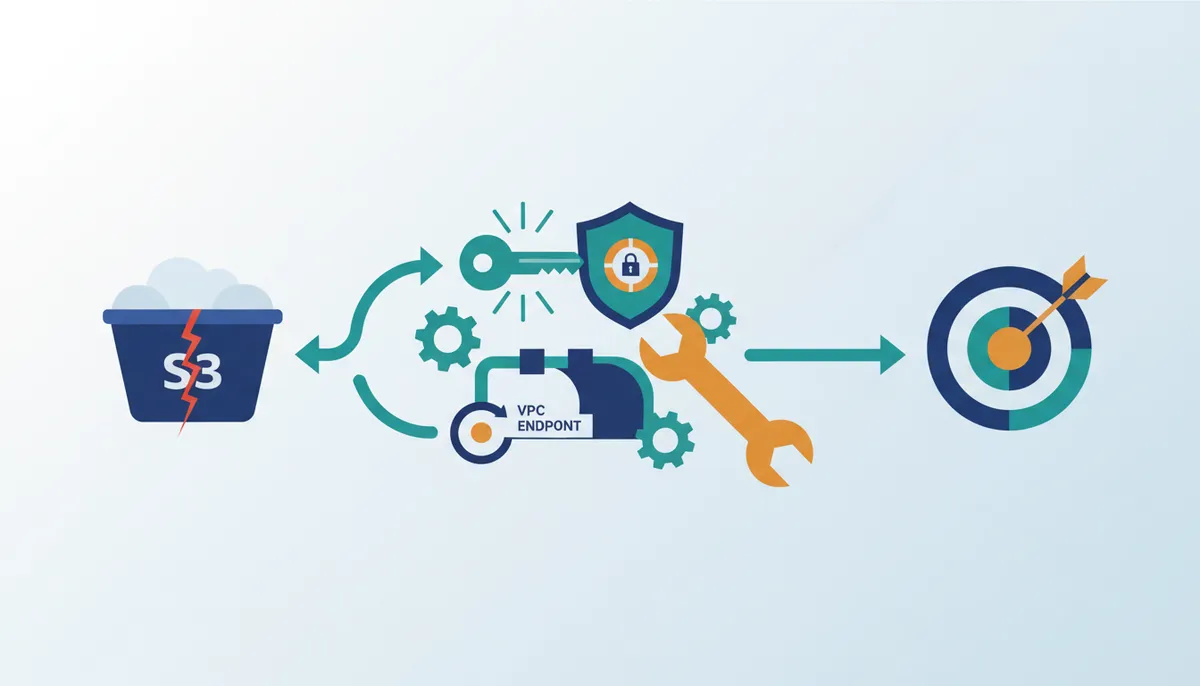
An explicit DENY statement in a bucket policy immediately blocks access, overriding any allow permissions granted via IAM roles or user policies. A single bucket policy entry denying `s3:GetObject` for a specific principal prevents all data retrieval in restricted buckets, regardless of broader group memberships. Restrictive security postures cannot be accidentally bypassed by permissive upstream configurations because of this mechanism. For instance, a Bucket Policy may contain an explicit DENY statement for the `s3:GetObject` action that applies to one principal, such as `arn:aws:iam::123456789012:user/johndoe`, and covers all resources. Access control evaluation follows a strict hierarchy where explicit denial takes precedence over all other permissions. Operators troubleshooting S3 access denied errors must inspect bucket-level JSON policies before assuming credential expiration or network issues are at fault. Legacy policies retaining deny rules for deprecated user accounts often lock out valid service identities inadvertently.
The cumulative nature of these policies creates operational risk. Adding a new deny rule for one edge case can silently break critical applications relying on previous allowances. Bucket policy changes apply instantly, demanding rigorous validation before deployment. Implementing a "deny-first" review protocol where any new bucket policy undergoes peer validation specifically for conflict with existing allow lists is a recommended practice. This approach mitigates the risk of accidental data unavailability during routine security updates.
Diagnosing KMS Key Permission Issues for Encrypted Objects
S3 permissions often validate successfully while KMS key policies silently block decryption of encrypted objects. The Kiro CLI isolates this failure mode by distinguishing between storage layer access and encryption key authorization. Data remains inaccessible if the identity lacks `kms:Decrypt` rights for the specific key ARN, even with full bucket read access. AWS employs separate permission layers where AWS KMS manages encryption keys independently from S3 bucket policies. An administrator might grant object retrieval rights yet forget to update the associated key policy for new service accounts due to this architecture. The tool identifies the root cause as a KMS Key Permission Issue where S3 permissions are sufficient but KMS permissions are insufficient. For example, an object encrypted with a specific key ARN requires explicit decryption grants that bucket policies do not provide, such as an object encrypted with KMS key `arn:aws:kms:us-east-1:123456789012:key/ab2c3d4e-e5f6-7890-abcd-ef1234567890`.
AWS KMS provides separate permissions for the use of the KMS key, creating an additional layer of control and protection against unauthorized access. This separation creates a hidden dependency where data mobility fails despite apparent permission completeness. Resolving these S3 access denied errors requires auditing key policies alongside standard bucket configurations.
VPC Endpoint Policy Restrictions Blocking S3 GetObject Actions
VPC endpoint policies operate outside the typical IAM and bucket policy evaluation path, causing distinct failures. Access to Amazon S3 is controlled through IAM policies, bucket policies, access points, and VPC endpoints. Network administrators frequently encounter situations where a privileged role cannot retrieve data because the VPC endpoint itself lacks an explicit allow rule. Unlike standard identity checks, the gateway evaluates its own JSON policy before the request reaches the storage layer. If the configuration omits the specific action, the system returns a forbidden error stating no VPC endpoint policy allows the s3:GetObject action. This failure occurs even when the user possesses full administrative rights and the target bucket permits public access.
Network boundaries supersede identity permissions in the evaluation order.
Operators must verify the gateway policy attached to the private link rather than inspecting user credentials. Changing the IAM role yields no result because the request never leaves the network perimeter without endpoint approval. This architecture isolates network segmentation from identity management, requiring dual validation for successful transfers. Teams should audit network definitions alongside user roles to prevent silent data lockouts during migration events. Validating these network rules before deploying AI training pipelines is recommended to avoid costly compute idle time.
About
Marcus Chen is a Cloud Solutions Architect and Developer Advocate at Rabata.io, where he specializes in S3-compatible storage architecture and AI/ML data infrastructure. His daily work involves troubleshooting complex permission hierarchies and optimizing low-level S3 API calls for enterprise clients migrating from AWS. This hands-on experience with IAM policies, KMS decryption issues, and VPC endpoint configurations directly informs his analysis of Kiro CLI diagnostics. At Rabata.io, an S3-compatible storage provider focused on eliminating vendor lock-in, Marcus ensures true API compatibility across diverse cloud environments. By using his background in performance benchmarking and cloud cost optimization, he provides actionable insights into resolving "Access Denied" errors without compromising security. His expertise allows him to dissect specific failure points, such as explicit denies or missing KMS permissions, offering readers a clear path to resolution grounded in real-world production scenarios rather than theoretical documentation.
Conclusion
Scaling Kiro CLI operations reveals that network boundaries supersede identity permissions in the evaluation order, creating a silent failure mode where valid credentials cannot bypass restrictive gateway policies. This architectural reality means that even full administrative rights yield nothing if the VPC endpoint lacks an explicit allow rule for the specific action. The operational cost here failed jobs but the compounding idle time of expensive compute resources waiting on data that is technically accessible but network-blocked. Teams often waste hours auditing IAM roles when the actual blocker resides in the network perimeter definition.
You must treat network gateway policies as first-class citizens in your access control strategy, auditing them with the same rigor as KMS key policies before any substantial data migration. Do not assume identity completeness guarantees data mobility. Start by mapping every active VPC endpoint directive against your required S3 actions this week, specifically checking for missing `s3:GetObject` allowances that block pipeline execution. Validating these network rules before deploying AI training pipelines prevents costly compute idle time and ensures your storage layer remains reachable. For deeper context on how gateway policies interact with storage tiers, review how Kibana manages similar access patterns. By aligning network definitions with user roles early, you eliminate the dual validation bottleneck that plagues large-scale deployments.
Frequently Asked Questions
The specific code is 403 Forbidden, signaling a policy rejection. This status confirms the request reached the service boundary but failed evaluation before data retrieval could occur.
IAM policies utilize version 2012-10-17 to define language structure. Engineers must ensure their documents match this identifier to avoid syntax errors during complex permission chain evaluations.
These functions cease on June 30, 2026, potentially breaking S3 workflows. Teams relying on these user defined functions must migrate or update their data processing architectures before this deadline.
CData supports more than 350 data sources for replication. This broad connectivity is relevant when troubleshooting S3 access issues within larger data integration architectures involving multiple platforms.
Effective CLI tools significantly reduce time spent tracing IAM policy errors. Teams using these utilities can automate diagnosis across large-scale deployments instead of manual log diving.
References