Data mesh patterns: Zero code changes needed
You can deploy a federated data mesh across accounts using seven integrated services without modifying a single line of legacy application code. Amazon SageMaker Catalog enables true decentralized data ownership by decoupling governance from infrastructure provisioning. This approach preserves existing data repositories while shifting control to domain teams.
The industry is moving away from monolithic control toward federated solutions, echoing the shift from monoliths to microservices. AWS Well-Architected guidance confirms this evolution transfers data control directly to domain experts. Teams often stall here, fearing disruption to stable consumer applications. The solution bypasses that friction entirely. We use IAM role assumption and AWS Lake Formation to bridge isolated environments.
Amazon SageMaker Catalog acts as the central nervous system for this no-change pattern. It facilitates secure discovery without forcing resource migration. The walkthrough below implements this architecture using AWS Lambda functions to simulate real-world workloads. This proves data granularity survives architectural upheaval.
The Role of SageMaker Catalog in Modern Data Mesh Architecture
SageMaker Catalog as Federated Metadata Layer Over AWS Glue
A federated metadata layer aggregates distributed AWS Glue Data Catalogs without migrating underlying storage. This defines data mesh: decentralized ownership with centralized governance via Amazon SageMaker Catalog. Operators keep existing data granularity because the system sits atop current repositories. Technical guidance published in February 2026 confirms implementation requires no application code changes. The AWS Glue Data Catalog remains the persistent store for schemas and job definitions. Amazon SageMaker Unified Studio serves as the management interface.
| Component | Function |
|---|---|
| AWS Glue | Stores table definitions |
| Lake Formation | Enforces access policies |
| SageMaker Catalog | Publishes data products |
Decoupling governance from storage introduces latency during cross-account permission propagation. Network engineers must account for eventual consistency when scripting automated pipelines. The metadata management layer relies on AWS Lake Formation. Failure to synchronize IAM roles with project boundaries blocks consumer access entirely. This constraint demands precise configuration of producer and consumer project profiles.
Implementing No-Change Data Mesh with SageMaker Unified Studio Profiles
Project profiles in Amazon SageMaker Unified Studio define provisioned resources while leaving existing applications untouched. Operators select a profile during project creation to establish tooling boundaries. No legacy data product migration is required. This approach supports a lakehouse architecture unifying Amazon S3 data lakes and Amazon Redshift warehouses under Apache Iceberg compatibility. Internal validation at Amazon.com demonstrates this pattern scales via the CI/CD CLI for multi-service deployment within the Andes enterprise catalog. The mechanism relies on AWS Lake Formation to grant producer project IAM roles access to assets before publishing them to the catalog.
Minimum Infrastructure Requirements for Federated Data Mesh Deployment
A federated data mesh mandates three distinct AWS accounts. This separates production, governance, and consumption roles effectively. Monolithic single-account architectures cannot provide this domain isolation without significant refactoring. The mandatory 3-account setup includes a Producer Account for data assets, a Catalog Account for Lake Formation policies, and a Consumer Account for application logic. Each account requires a virtual private cloud containing at least two private subnets distributed across two Availability Zones. This network redundancy ensures high-availability for AWS Glue crawlers and Amazon EMR jobs accessing federated tables.
| Component | Minimum Count | Purpose |
|---|---|---|
| AWS Accounts | 3 | Isolate producer, governance, and consumer domains |
| Private Subnets | 2 per VPC | Enable cross-AZ traffic for managed services |
| Availability Zones | 2 | Guarantee fault tolerance for data plane operations |
Skipping the third governance account loses centralized policy enforcement. You end up duplicating permissions management across producer and consumer boundaries. Native integration with Amazon SageMaker Catalog simplifies this hierarchy compared to third-party tools requiring complex connectors for tag-based security. Non-compliance with these subnet constraints costs immediate service unavailability during zone failures. Validate VPC peering routes before deploying the Amazon SageMaker Unified Studio domain.
Internal Mechanics of Federated Data Sharing and IAM Role Assumption
Cross-account API access demands enabling specific managed permissions inside the AWS Resource Access Manager share configuration. Operators must choose the option stating IAM users and roles can access APIs. This allows external assumption logic. The AWS RAM share refuses association requests missing this explicit flag. Accounts inside the same AWS Organizations entity skip manual approval steps. The control plane accepts association requests automatically. Automation cuts operational friction but creates a dependency on organizational hierarchy. Multi-organization meshes cannot use this without manual work.
The assumption process follows a strict sequence. The consumer application invokes the consumer project's IAM role before querying subscribed assets.
- The Lambda function retrieves temporary credentials for the consumer project role.
- The session validates permissions against the producer project's IAM role via Lake Formation.
- Authorized queries execute against the federated AWS Glue Data Catalog entries.
Technical writers like Nicolò Grando show how this flow integrates with Apache Iceberg tables without changing storage paths. The Amazon Internal "Andes" Integration proves the value. Skipping the RAM permission toggle causes silent failures. Roles exist but lack cross-account trust relationships. The constraint is binary. Partial API access is unsupported. You face all-or-nothing exposure per share.
Configuring Producer Project Profiles with Tooling Blueprints
Tooling blueprints activate automatically within the producer profile. Operators pick the account VPC plus at least two subnets in different Availability Zones. This default inclusion removes manual blueprint selection steps during project initialization. It enforces high-availability network topology. Deployment logic mandates that these subnets reside in the same Region. This maintains low-latency metadata synchronization across the 3-account setup. Failing to distribute resources across multiple zones creates a single point of failure. The entire federated mesh collapses during an Availability Zone outage.
Operators must verify that the selected VPC allows inbound traffic from the governance domain. This enables cross-account API calls.
- Navigate to the project creation wizard in Amazon SageMaker Unified Studio.
- Confirm the Tooling blueprint appears as a pre-selected component.
- Choose the specific account VPC hosting the existing data repositories.
- Assign private subnets from distinct Availability Zones to satisfy redundancy requirements.
This rigid structure prevents accidental deployment into public subnets. Public subnets would expose sensitive metadata endpoints to the internet. A common oversight involves selecting subnets without verifying route table associations. Lambda functions then fail to assume roles. Connectivity dies silently. High-availability here is not optional. It is a hard constraint enforced by the platform architecture.
Validation Checklist for Three-Account Federated Data Mesh Setup
Verify the mandatory 3-account setup. Operators often skip VPC validation. This causes IAM role assumption failures when private subnets lack sufficient Availability Zone distribution.
| Component | Minimum Requirement | Failure Mode if Missing |
|---|---|---|
| Producer account | 1 dedicated ID | No data asset publication |
| Consumer account | 1 dedicated ID | Application access denied |
| Governance account | 1 dedicated ID | Domain isolation collapse |
| Private Subnets | 2 per VPC | Single point of failure |
Confirm each virtual private cloud contains two private subnets spanning distinct zones. This satisfies high-availability constraints. The publish-subscribe pattern breaks if network topology restricts control plane signaling between these zones. Glue table creation fails silently when the consumer Lambda function cannot assume the project role. Missing RAM share permissions cause this. Enable the specific managed permission allowing IAM users and roles to access APIs within the Resource Access Manager configuration. This step gates all downstream data retrieval. The control plane rejects association requests lacking this explicit flag. Domain isolation collapses if the Governance account does not host the unified domain. Producer and consumer accounts must remain separate. Multi-account complexity introduces latency risks. Single-account monolithic architectures avoid these entirely.
Step-by-Step Implementation of a No-Change Data Mesh Pattern
Implementation: Defining the Three-Account Federated Data Mesh Topology
Distinct AWS identities for Producer, Consumer, and Governance roles enforce the mandatory 3-account setup. Monolithic designs often operate within a single account. This creates shared permission boundaries that complicate governance. The Governance account functions specifically as a dedicated Catalog Account. This central policy engine does not store data. Separating these functions prevents the governance plane from inheriting the computational blast radius of the Producer or Consumer environments.
Configure the topology using this logical sequence:
- Designate the Governance account to host the Amazon SageMaker Unified Studio domain exclusively.
- Isolate EMR clusters and S3 buckets within the Producer account to restrict data plane exposure.
- Restrict application logic and Lambda functions to the Consumer account to decouple compute from storage.
Splitting the catalog from the data plane introduces latency during cross-account metadata federation. Single-account deployments avoid this cost. The delay necessitates strong network peering between the three distinct VPC environments. Query performance depends on it.
Executing AWS RAM Share Permissions for Cross-Account Association
Operators must select "IAM users and roles can access APIs and IAM users can log in to Amazon SageMaker Unified Studio" within the AWS RAM managed permission section. This enables federation. This specific string gates all downstream metadata replication. The control plane rejects association requests lacking this explicit API access flag. Accounts residing inside the same AWS Organizations entity bypass manual approval workflows. Association requests are automatically accepted. Automation reduces operational friction but introduces a hard dependency on organizational hierarchy. Multi-organization meshes cannot use this without manual intervention.
Engineers must update the Lambda function. This step simulates existing application behavior while enforcing the publish-subscribe pattern. Skipping this assumption results in immediate access denial. Successful RAM sharing does not matter if the role assumption fails.
Validate the Tooling blueprint status prior to project creation. This prevents network isolation. The Producer Project Profile includes this blueprint by default. Operators frequently miss the prerequisite of selecting two subnets in different Availability Zones. Failure to distribute these resources creates a single point of failure. Metadata synchronization collapses during regional outages.
Validating Tooling Blueprint Prerequisites for Producer Profiles
Enable the Tooling blueprint in the producer account VPC with two subnets across distinct Availability Zones. Do this before defining the producer-project-profile. Skipping this network validation triggers immediate deployment failures. The system cannot provision high-availability resources without distributed subnet coverage. Operators must verify that each VPC contains at least two private subnets. This satisfies the strict topology requirements for federated metadata layers.
- Confirm the producer VPC spans multiple zones to prevent single-point failures during blueprint initialization.
- Select the account VPC and associate the required subnets within the blueprint configuration interface.
- Validate that the 3-account topology aligns with these network constraints.
The Tooling blueprint includes default settings that eliminate manual selection steps. It enforces these network constraints rigidly. Deployment logic mandates that subnets reside in the same Region. This maintains low-latency synchronization across the federated architecture. Neglecting zone distribution creates a fragile foundation. The setup collapses under failover conditions. The Producer Project Profile becomes unusable for production workloads.
| Requirement | Configuration Target | Consequence of Omission |
|---|---|---|
| Subnets | 2 per VPC | Deployment rejection |
| Availability Zones | 2 distinct zones | Single point of failure |
| Blueprint | Tooling enabled | Missing project resources |
Validate these infrastructure prerequisites early. Avoid costly rework during the implementation of data mesh patterns.
Real-World Application and Strategic Value of Federated Governance
Federated Governance Mechanics in EUROGATE and Natera Deployments
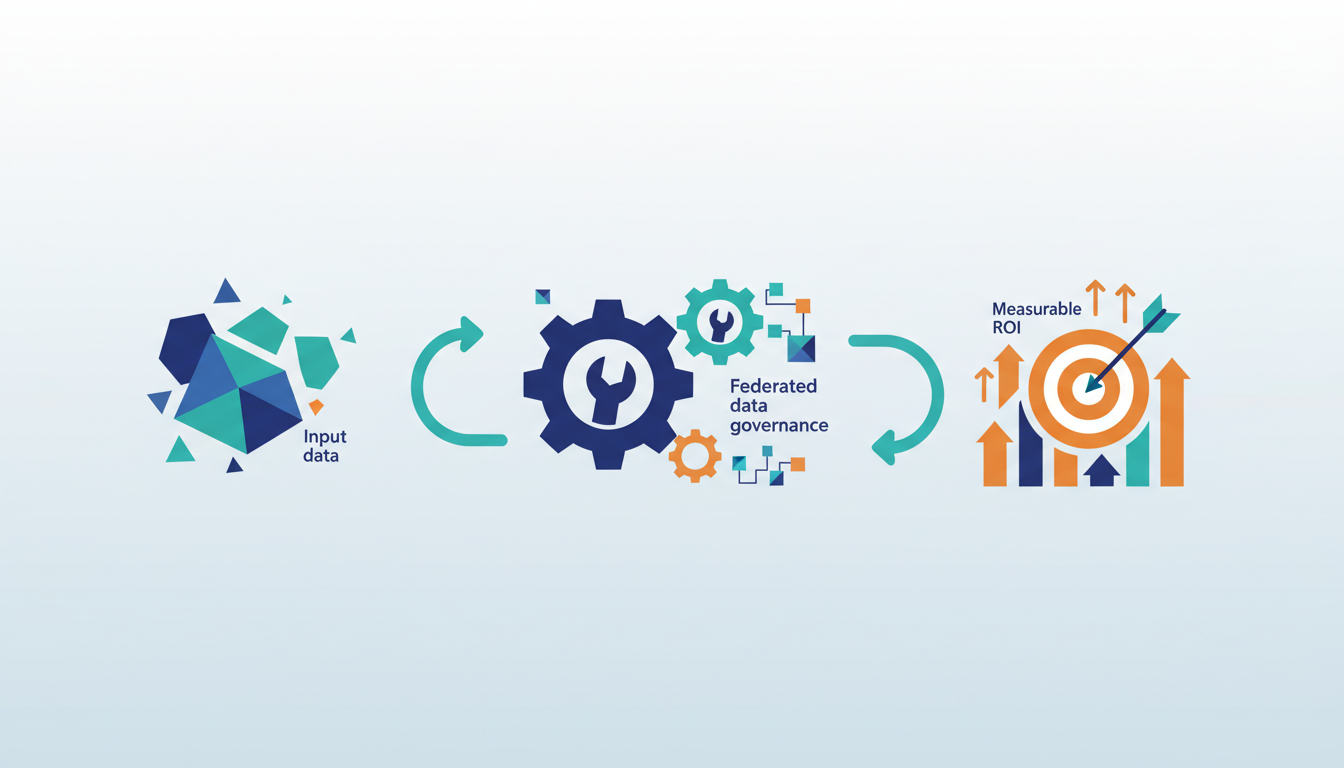
EUROGATE established a data mesh architecture using Amazon DataZone. They made logistics data discoverable across business units without altering legacy Amazon Redshift pipelines. This pattern separates metadata governance from physical storage. Tableau consumers query producer assets directly. The central catalog enforces access policies. Natera scaled genomics operations by using Amazon SageMaker Catalog. They unified access to distributed data lakes across multiple research teams. The mechanism relies on federated metadata pointers rather than data duplication. Strict governance controls remain intact as team counts grow.
| Deployment | Primary Goal | Governance Mechanism |
|---|---|---|
| EUROGATE | Cross-unit discovery | Amazon DataZone domains |
| Natera | Team scaling | Amazon SageMaker Catalog |
Producer accounts lacking the Tooling blueprint trigger subscription failures. Valid permissions do not help. Getoto. Strict VPC alignment is mandatory. If subnets do not span two Availability Zones, the federation layer rejects the association request entirely. This constraint forces a choice between rapid onboarding and architectural compliance. Skipping subnet validation breaks the trust relationship required for cross-account metadata resolution.
Achieving Cost Optimization via Zero-ETL Integrations in Enterprise Catalogs
Amazon.com internally extends its Andes. This internal dogfooding validates that zero-ETL integrations eliminate complex data engineering workflows. Engineering overhead drops directly without application refactoring. The mechanism bypasses traditional extract-change-load pipelines. It federates metadata pointers rather than moving physical bytes. Operators gain immediate cost avoidance. Storage duplication and compute cycles for data movement disappear from the budget.
Automated multi-service deployments accelerate delivery. They require strict IAM role assumptions to prevent privilege escalation across domain boundaries. Legacy applications lacking the native ability to assume cross-account roles force a choice. Modify code or maintain parallel ETL processes. Natera utilized Amazon SageMaker Catalog to unify access across genomics teams. Strict governance controls coexist with reduced operational friction.
Cost optimization derives from removing data motion, not rightsizing instances.
| Integration Mode | Engineering Overhead | Data Latency | Governance Complexity |
|---|---|---|---|
| Traditional ETL | High | Minutes to Hours | Low |
| Zero-ETL Federated | Low | Seconds | Medium |
Enable the Tooling blueprint only after validating subnet distribution across two Availability Zones. Skipping this network prerequisite causes immediate deployment failures. Theoretical cost savings from zero-ETL vanish instantly.
Validating Seven-Service Integration Scope for SageMaker Unified Studio
Seven distinct AWS services integrate into the single interface of Amazon SageMaker Unified Studio. The list spans EMR, Glue, Athena, Redshift, MWAA, Bedrock, and SageMaker AI. Operators must verify connectivity across this full-stack. Fragmented governance silos undermine federated data sharing strategies.
| Service Domain | Integration Role | Validation Constraint |
|---|---|---|
| Compute | EMR, SageMaker AI | Requires cross-account IAM role assumption |
| Storage | Glue, Athena, Redshift | Depends on Lake Formation permissions |
| Orchestration | MWAA, Bedrock | Needs VPC endpoint accessibility |
Internal validation at Amazon.com confirms the scope. Zero-ETL integrations function correctly only when metadata pointers resolve across all seven connected engines simultaneously. Failure to test Bedrock or MWAA connectivity leaves AI workflows stranded. SQL access might succeed, but AI jobs fail. The drawback lies in the strict dependency on Apache Iceberg compatibility. Transactional consistency across these heterogeneous compute layers demands it. Teams skipping this seven-service audit risk partial mesh adoption. Data remains discoverable but computationally isolated.
About
Alex Kumar, Senior Platform Engineer and Infrastructure Architect at Rabata. Io, brings deep expertise in Kubernetes storage architecture and cost optimization to the discussion of Amazon SageMaker Catalog. His daily work designing disaster recovery strategies and managing scalable infrastructure for AI/ML startups directly aligns with implementing data mesh patterns that decentralize ownership without disrupting existing applications. At Rabata. Io, a specialized S3-compatible object storage provider, Kumar constantly navigates the complexities of integrating diverse data repositories while eliminating vendor lock-in. This practical experience makes him uniquely qualified to analyze how organizations can adopt Amazon SageMaker Unified Studio profiles while maintaining their current data granularity and architecture. By using his background in building high-performance, cloud-native storage solutions, Kumar offers actionable insights on bridging the gap between centralized governance tools and decentralized data nodes, ensuring enterprises can modernize their machine learning operations efficiently.
Conclusion
Scaling the SageMaker Catalog reveals a hard truth: metadata resolution latency spikes when Apache Iceberg transaction logs conflict across the seven integrated engines. Simple SQL access masks this hidden operational drag. The theoretical efficiency of zero-ETL architectures dissolves if teams treat network topology as an afterthought. Fragmented governance emerges not from missing permissions, but from inconsistent VPC endpoint configurations. These isolate orchestration layers like MWAA and Bedrock from the core storage fabric. Maintaining this mesh requires continuous validation of cross-account IAM roles, not just initial setup.
Adopt this architecture only if your team can enforce strict Iceberg table standards across all compute nodes within the next two quarters. Do not attempt a full rollout unless you have dedicated network engineers available to audit subnet distribution across two Availability Zones before enabling the Tooling blueprint. Premature deployment without this foundation guarantees immediate failure and wasted cloud spend. Run a connectivity diagnostic script against your Bedrock and MWAA VPC endpoints this week. Identify silent isolation points before they block production AI workflows. This specific audit exposes whether your metadata pointers actually resolve across the heterogeneous stack or merely create an illusion of unified access.
Frequently Asked Questions
You need exactly three AWS accounts to implement this solution architecture effectively. The setup requires distinct producer, consumer, and governance accounts to simulate real-world data sharing scenarios.
An AWS Lambda function simulates the existing consumer application accessing subscribed data assets. This approach allows teams to validate federated sharing without modifying any single line of legacy code.
The AWS Glue Data Catalog serves as the persistent store for schemas and job definitions. It aggregates distributed metadata while Amazon SageMaker Catalog publishes these assets as discoverable data products.
Consumer applications assume consumer project IAM roles to access subscribed data assets securely. This IAM role assumption bridges isolated environments while preserving existing data repositories and application logic.
Charges incur based on four specific dimensions including API requests and metadata storage volume. This consumption model contrasts with standard instance usage pricing for training or notebook environments.